
















Vodič za ugradnju digitalne instrumentne ploče za Golf 6 (2008.–2014.)
Kako instalirati digitalnu instrumentnu ploču za Volkswagen Golf Mk6 / Sharan (PQ platforma 2009-2014)

Ova stranica je za Volkswagen Golf Mk6 / Sharan PQ putanja s originalnom mehaničkom instrumentnom pločom. Ako se okvir vaše instrumentne ploče podudara s prikazom na videu, na pravom ste mjestu. Ako otvor izgleda drugačije ili je riječ o Sharanu s neobičnim okvirom instrumentne ploče, provjerite to prije nego što išta naručite.
Ne odlučujte samo prema godini. Odlučite prema originalni okvir mehaničkog instrumenta. To vam govori je li ovo uobičajena instalacija u Golfu Mk6, Sharanu kojemu trebaju dva mala trim-poena ili automobil koji treba zaustaviti i ponovno provjeriti prije nego što itko počne rezati ili prisilno prilagođavati dijelove.
Ovaj je vodič pregledan u odnosu na trenutni video instalacije PQ-platforme, bilješke o ugradnji i poslijeprodajne provjere, a zatim je na engleski preuredio Jefu tako da razlike u trim-point točkama, pravila prijenosa na ploču i koraci naknadne kalibracije ostanu jasni.
Za koga je ovaj vodič
Ispravan put
Volkswagen Golf Mk6 na PQ platforma od 2009-2014, koristeći originalni mehanički sklop igala.
Pokriće varijante
Ova ruta obuhvaća Golf GTI, Golf R, Golf GT, i Golf kabriolet. Također se primjenjuje i na benzin i dizel verzije i oba Lokalna samouprava i desno upravljačko mjesto automobili.
Što se mora potvrditi
Usporedite Oblik vanjskog obruba, , otvaranje instrumentne ploče, i originalni okvir instrumentne ploče pogledajte video referencu prije kupnje.
Što ovo nije
Ovo nije univerzalna stranica za sve VW instrument ploče. Ako je oblik okvira drugačiji, prvo zatražite fotografsku potvrdu. Za Sharan, planirajte dva mala trim-točka. Za Golf Mk6, nemojte pretpostavljati da čvrsto pristajanje znači da je instalacija pogrešna.
Pravilo predprodaje: Ako je vaš automobil Sharan na PQ-platformi ili varijanta Golfa Mk6 s neobičnim okvirom instrumentne ploče, pošaljite jasne fotografije originalne instrumentne ploče i okvira prije narudžbe. To je najbrži način da izbjegnete pogrešnu kupnju. Ugradnju ovdje određuje mehanički oblik okvira, a ne samo po ukrasnoj znački.
Zajednička postavke izbornika koje biste trebali provjeriti nakon instalacije
Ovo su postavke o kojima kupci obično pitaju tek nakon što je instrumentna ploča već ugrađena u automobil. Koristite ih da biste potvrdili da se zaslon ispravno ponaša tijekom svakodnevne vožnje, a ne da biste naslijepo pokušavali ispraviti lošu ugradnju.
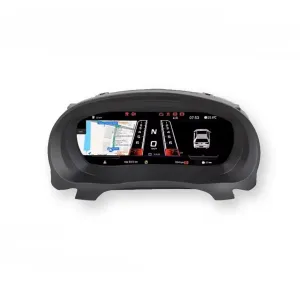
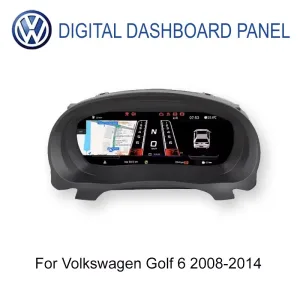


Jezik i jedinice
Prvo potvrdite jezik, jedinice brzine i format prikaza kako bi vozač vidio ispravan dnevni prikaz.
Svjetlina i ponašanje danju/noću
Provjerite kontrolu svjetline i automatsko prigušivanje nakon instalacije kako biste bili sigurni da je zaslon čitljiv u stvarnim uvjetima vožnje.
Logika upozorenja i kontrole
Provjerite ikone upozorenja i odziv upravljača ili ručice prije nego što proglasite posao završenim.
Upozorenja prije uklanjanja
Prije uklanjanja, postavite upozorenje za zimske gume i upozorenje o brzini do maksimuma, zatim prebacite obje stavke isključeno putem višenamjenskog izbornika za granice.
Kalibracija goriva
Nakon potpunog punjenja, ako mjerač ne pokazuje puno, otvorite Podaci o vožnji → Količina za dopunjenje, zatim idite na Postavke → Konfiguracija kalibracije → Volumen spremnika goriva i unesite preostali iznos za dopunu tako da vrijednost vrati na nulu.
Pravilo fizičke svjetlosti
Na PQ platforma, , fizičko svjetlo Postavka bi trebala ostati isključeno. Ako je omogućen, ponašanje prikaza pokazivača smjera može postati abnormalno.
Napomena ovlaštenog tijela: Ova referenca za postavljanje PQ-a postoji kako bi kupci i instalateri mogli provjeriti putanju prikaza i ponašanje pri svakodnevnoj upotrebi prema istim koracima prikazanim u instalacijskom videu. Namijenjena je za korištenje, a ne samo za čitanje.
Upute za instalaciju korak po korak temeljene na službenom videu za Golf Mk6
Ovaj odjeljak prati put instalacije Golf Mk6 PQ prikazan u videu. Glavne točke kvara lako je nabrojiti: prisiljavanje instrumentne ploče u armaturnu ploču, preskakanje prijenosa s malog pločnog računala ili propuštanje PQ postavki koje mijenjaju očitanje goriva i ponašanje pokazivača.
Napomena za recenziju: Ovaj članak o Golfu 6 i Sharanu PQ provjeren je u odnosu na trenutnu putanju proizvoda, bilješke o postavkama i video reference na 26. svibnja 2026.. Ako automobil ima neobičan okvir instrumentne ploče, prethodnu popravku instrumentne grupe ili nestandardnu povijest ožičenja, ponovno provjerite izvorni mehanički raspored instrumentne grupe prije nego što ovu stranicu upotrijebite kao osnovu.
Potvrdite rutu oblikom okvira. Provjerite koristi li instrumentna ploča vašeg Golfa Mk6 ili Sharana i dalje originalni mehanički oblik instrumentne ploče prikazan u službenom videu. Sama godina nije dovoljna.
Isključite dva potrebna upozorenja prije uklanjanja. Postavite upozorenje za zimske gume i upozorenje o brzini Prvo ih postavite na maksimalne vrijednosti, zatim uđite u izbornik višefunkcijskih ograničenja i prebacite obje stavke. isključeno.
Pripremite radno područje. Koristite plastične alate za demontažu, zaštitite površinu instrumentne ploče i nemojte snažno povlačiti jedan kut. Kozmetička oštećenja obično nastaju tijekom žurnog skidanja obloga.
Pažljivo uklonite originalni instrumentni panel. Otpustite okvir korak po korak i održavajte područje konektora čistim. Nemojte silom izvlačiti okvir ako kopča još uvijek drži.
Ispustite statički naboj prije dodira unutarnje elektronike. Službena napomena savjetuje da se prvo otpusti statički naboj, na primjer dodirom uzemljenog metala i pranjem ruku, a zatim da se PCB drži za rubove umjesto izravnog dodira elektroničkih komponenti.
Prenesite originalnu malu PCB pločicu ako je vaš stari instrument-panel ima. Neki mehanički sklopovi viših specifikacija imaju malu stražnju ploču iza originalnog malog zaslona. Ako se ne prenese i ne učvrsti ispravno, Očitanje goriva može postati netočno. i novi klaster može pokazati kvar.
Očuvajte originalni zvučni signal instrumenta. Učini ne Uklonite originalni zvučnik instrumentne ploče. Službeni postupak za Golf Mk6 upozorava da njegovo uklanjanje može izazvati grešku kombiniranog instrumenta.
Postupajte s LCD-om kao s zaslonom, a ne kao s plastičnim dijelom. Držite jedinicu samo za vanjski okvir. Nikada ne pritiskajte središte zaslona dok ga postavljate.
Pravilno povežite dva USB kabela. Klaster ima dva USB kabela: za ograničena upotreba nadogradnje jedan za ograničena upotreba projekcije. Stavite ih u prostor za pohranu ispod lijeve strane upravljača.
Postavite novi instrument-pločak uz rubove okvira. Pravilno pristajanje treba biti usklađeno, a ne prisiljeno. Ako je oblik obruča pogrešan, zaustavite se i ponovno provjerite prije nego što primijenite pritisak.
Ako je pristajanje tijesno, prilagodite samo rub kućišta treće strane. Stvarni slučajevi kupaca pokazuju da nekim instalacijama Golfa Mk6 možda treba Malo obrezivanja na rubu našeg oblikovanog kućišta.. Ovo je ne razlog za rezanje otvora na tvorničkoj instrument ploči.
Za PQ-platformu Sharan, postupno odrezati dva mala ugla. Sharanu su potrebne dvije točke za rezanje.. Radite to postupno i pri svakom uklanjanju materijala ga isprobajte, umjesto da odjednom uklonite previše materijala.
Kalibrirajte volumen spremnika za gorivo nakon potpunog punjenja ako je potrebno. Napunite spremnik, provozajte se kratku udaljenost, zatim provjerite. Podaci o vožnji → Količina za dopunjenje. Unesite taj broj na Postavke → Konfiguracija kalibracije → Volumen spremnika goriva Tako se količina spremnika za ponovno punjenje vraća na nulu, a mjerač pokazuje puno.
Ostavite opciju PQ fizičkog svjetla isključenu. Ako je omogućen, prikaz žmigavaca može prestati ispravno funkcionirati. Koristite službeni video za korekciju fizičkog svjetla ako ste ga slučajno otvorili.
Ispravite model vozila ako ikona automobila ne odgovara. Idite na Postavke → Odabir modela vozila, Odaberite odgovarajuće vozilo, zatim ugasite automobil i zaključajte ga na nekoliko minuta prije ponovne provjere.
Provjerite kontrolnu logiku prije konačnog zatvaranja. Neki automobili koriste tipke na upravljaču, dok se drugi oslanjaju na logiku upravljanja na stalku brisača. Ako neka funkcija nedostaje, provjerite izvorni protokol upravljanja umjesto da pretpostavite da svaka razina opreme koristi istu putanju kroz izbornik.
Obavite završnu provjeru ceste. Provjerite ponašanje pri pokretanju, ikone upozorenja, prikaz razine goriva, prikaz pokazivača smjera, orijentaciju indikatora statusa vrata, svjetlinu i stabilnost pri svakodnevnoj upotrebi. Ako nešto izgleda pogrešno, zaustavite se i ponovno provjerite instalaciju.
Što dokumentirati tijekom posla
Uzmite jednu fotografiju prije uklanjanja, jednu nakon što izvadite originalni instrument-klaster i jednu prije nego što novi LCD instrument-klaster bude potpuno zatvoren. Ta tri kontrolna punkta znatno ubrzavaju kasniju podršku ako kupac pita o očitanju goriva, ponašanju pokazivača smjera ili o tome je li kućište čvrsto postavljeno.
Gdje ruta obično griješi
Uobičajeni propusti su jednostavni: upozorenja nisu isključena prije uklanjanja, mala stražnja ploča je ostavljena izvan, na PQ automobilu je omogućeno fizičko svjetlo ili je oblikovano kućište nasilno ugurano u armaturnu ploču umjesto da se prvo provjeri rub ugradnje.
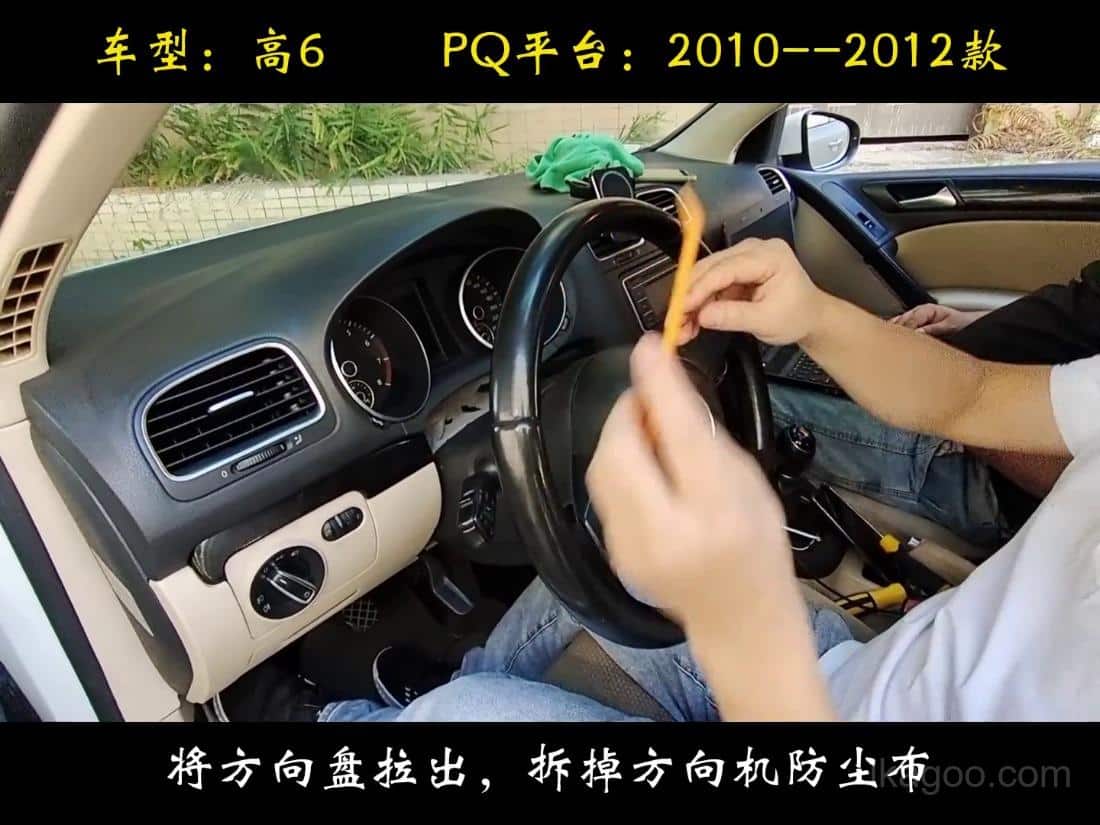
Povucite upravljač prema van i uklonite poklopac prašine na stupu upravljača.
Počnite s oslobađanjem prostora. Službeni video prikazuje kotač prvo izvučen prema van kako bi se ukrasni oblog i okvir instrumentne ploče mogli ukloniti bez ogrebotina na rubu armature.
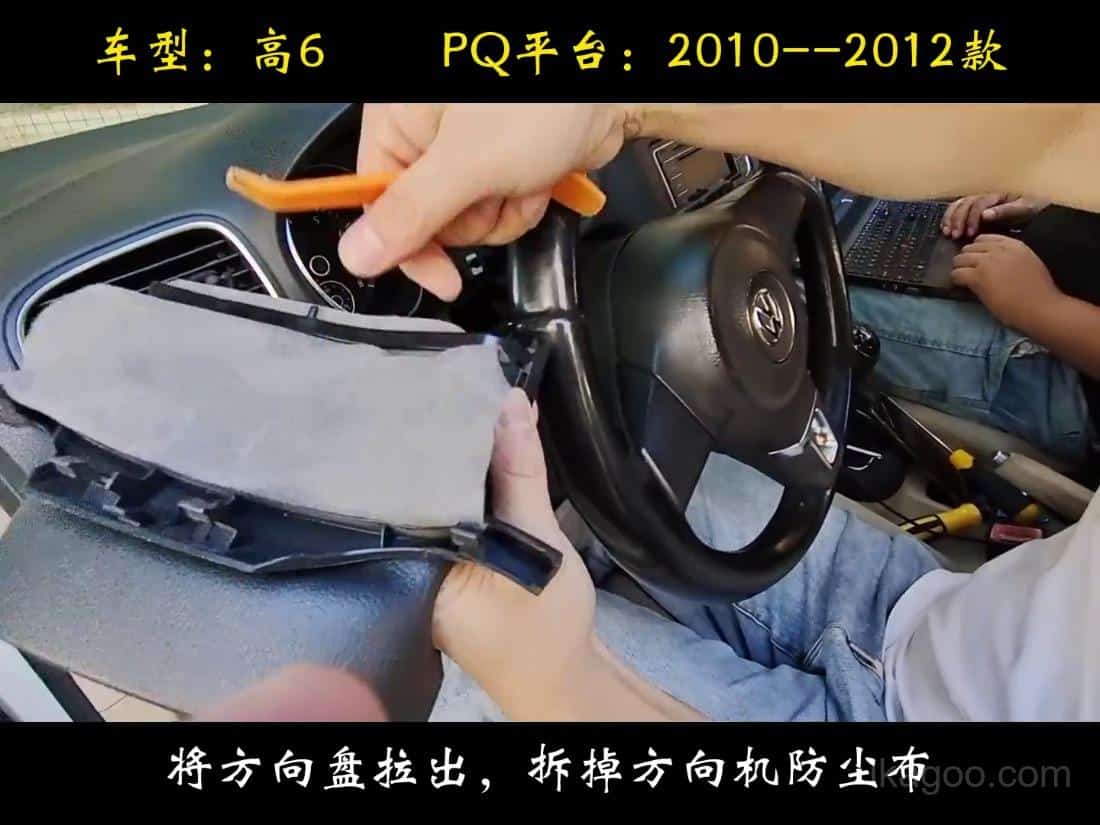
Nježno otpustite gornju lajsnu umjesto da savijate jedan kut.
Radite ravnomjerno po cijelom obrubu. To je važno jer žurno djelovanje poluge na jednoj strani obično uzrokuje kozmetičke ogrebotine ili lomljene jezičke.
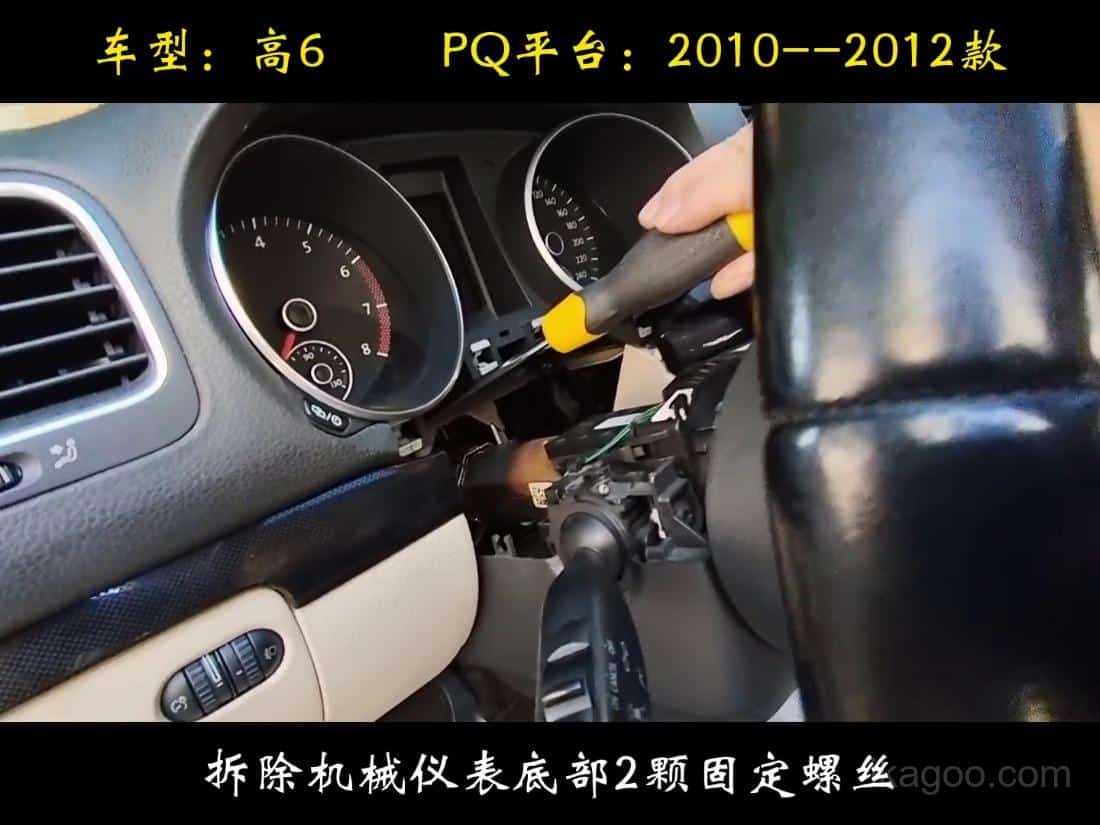
Uklonite vijke za montažu s ručnikom ispod radnog područja.
Službeni video izričito prikazuje zaštitu od boje. Ručnik ispod područja vijka sprječava da ispali pričvrsni elementi ogrebu oblogu upravljačke stube.
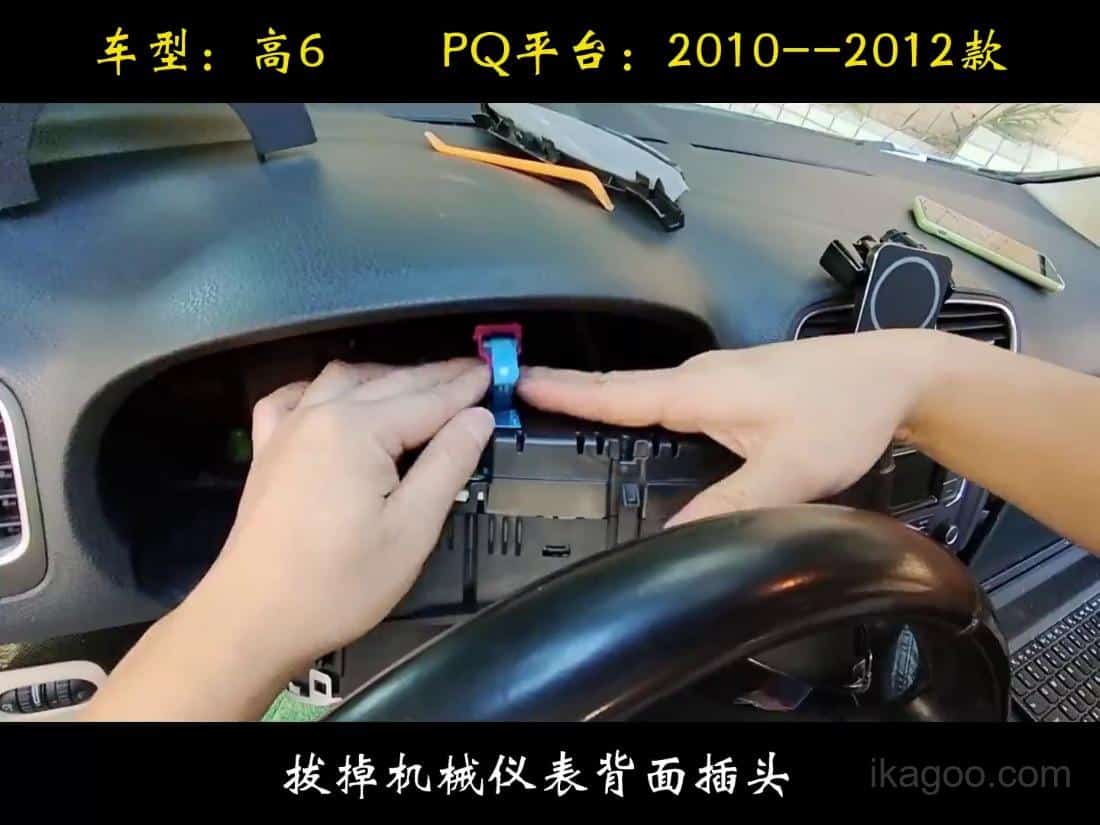
Uklonite originalni mehanički sklop instrumenata i uredno odspojite kablovski snop.
Kad je klaster oslobođen, odspojite kablovski snop bez uvijanja konektora. Ako je utikač još uvijek zaključan, zaustavite se i potpuno otpustite jezičac prije povlačenja.
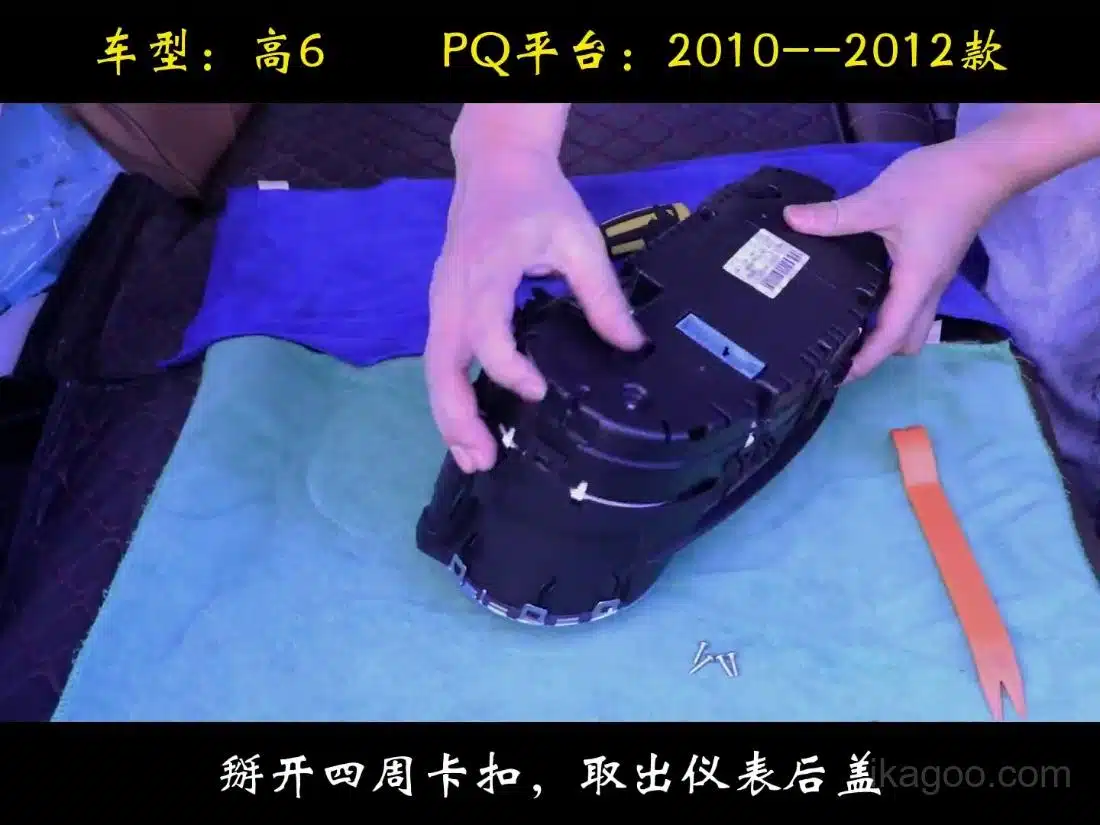
Otvorite kućište instrumentne ploče na podloženoj klupi.
Prijenos s klupe dio je ove rute. Koristite mekanu podlogu i otpustite stražnje kopče jednu po jednu kako se kućište ne bi uvilo.
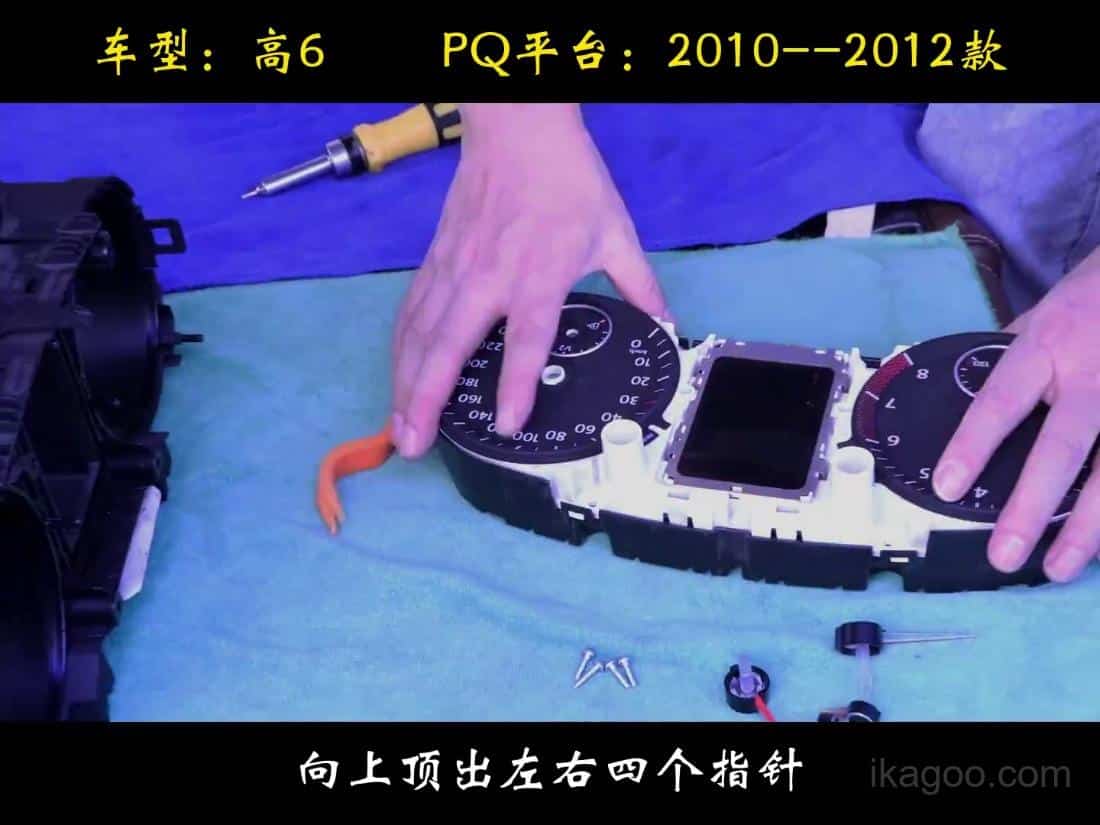
Pažljivo podignite tvornički modul i održavajte dosljednu orijentaciju ploče.
Nemojte hvatati elektroniku s komponentne strane. Držite sklop za stabilne rubove kako statički elektricitet i pritisak ne bi oštetili ploču.
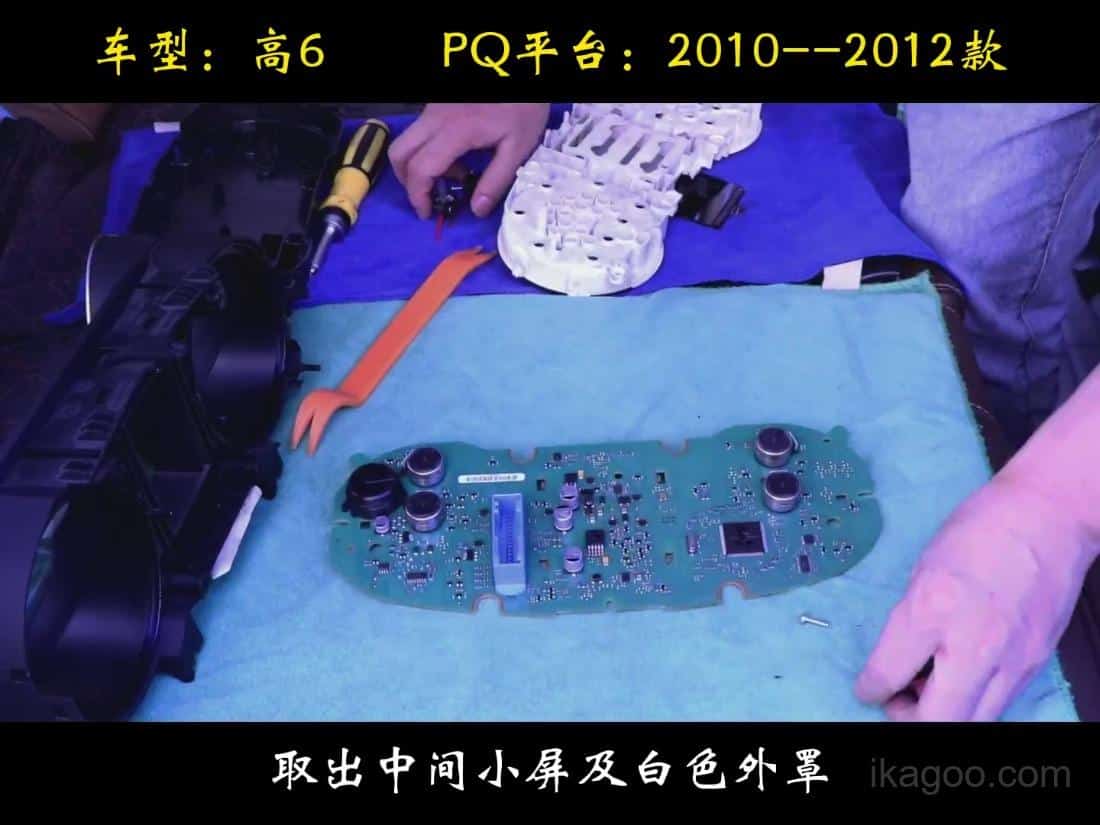
Prenesite originalnu malu ploču ako je vaš mehanički sklop koristi.
Ovo je jedan od koraka s najvećim rizikom. Ako se originalna mala stražnja ploča ne prenese i ne učvrsti ispravno, očitanje goriva može postati netočno, a instrumentna ploča može prijaviti kvar.
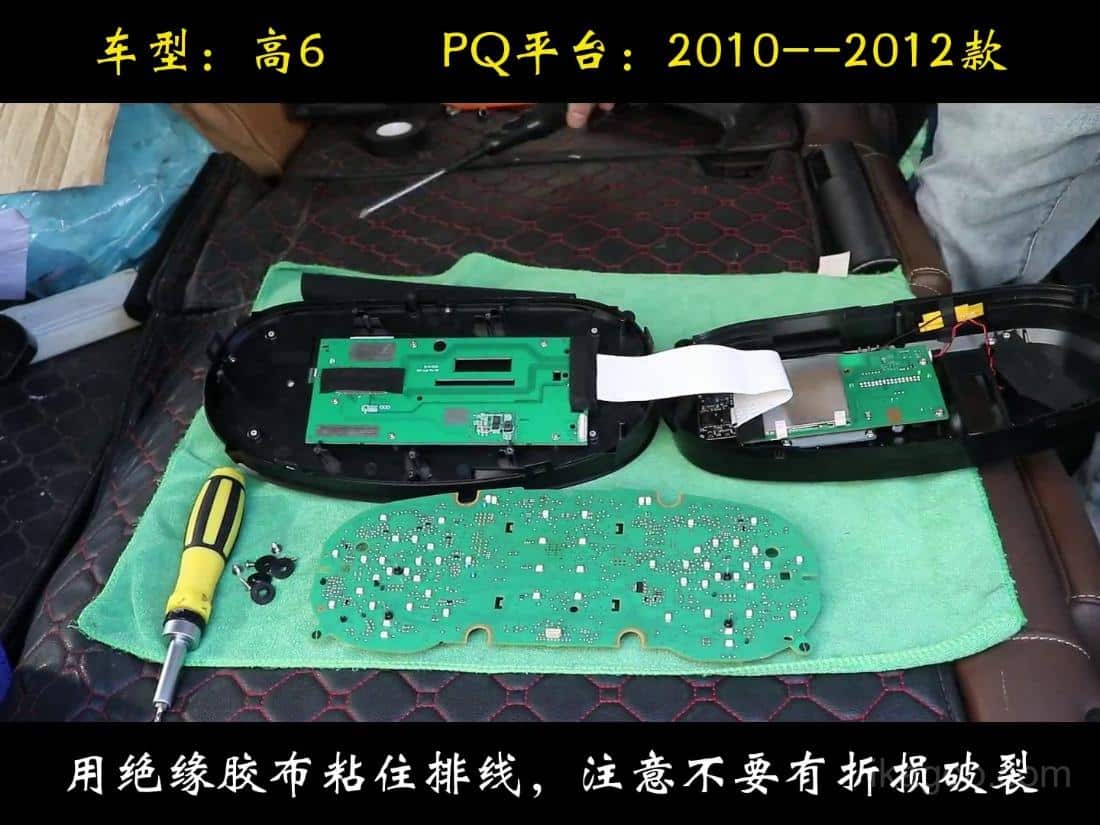
Provucite prebačeni kabel ploče točno kako je prikazano prije konačnog zatvaranja.
Ne zakačite niti oštro presavijte kabel. Ovaj kadar je važan jer prikazuje položaj ploče i kabela prije nego što se novi LCD klaster zatvori i vrati u automobil.
Prava napomena o instalaciji iz slučajeva korisnika: ako grozd djeluje pomalo preusko sa strane, to znači ne automatski znači da je ugradnja pogrešna. U nekim automobilima može biti potrebno odrezati malu količinu materijala od rub našeg oblikovanog vanjskog kućišta tako da jedinica sjedne čisto.
Važna granica: Šišanje je u tijeku naša stambena prednost, a ne na originalnom otvoru instrumentne ploče. Nemojte rezati tvorničku strukturu instrumentne ploče samo da biste ugurali jedinicu. Video vodič također prikazuje ovu logiku ugradnje.
Službeni video vodiči za instalaciju, kalibraciju i postavke
Ovi videozapisi obuhvaćaju glavnu rutu instalacije, kao i točne podoperacije koje obično izazivaju upite podrške nakon isporuke. Ovu sekciju držite zajedno s gornjim slikama korak po korak kako bi instalacija i kalibracija ostali na jednom mjestu.
Video o ugradnji Main Golfa Mk6
Videozapisi za podršku povezani s ovom rutom
Upozorenje na zimske gume i isključenje upozorenja na brzinu prije nego što se izvadi originalni instrument-panel. Mali prijenos PCB-a
Dodatna pločna ruta koja se koristi na nekim mehaničkim sklopovima s višim stupnjem dovršenosti. Kalibracija goriva
Kako ispraviti ponašanje volumena spremnika goriva nakon potpunog punjenja. Fizička korekcija svjetla
Korekcija samo za PQ ako je fizičko osvjetljenje slučajno omogućeno.
Ostali proizvodi koje kupci obično uspoređuju za isti automobil
Ikagoo održava put kupnje čistim: stranica klastera služi za rutu instrumenta, a stranica igrača za nadogradnju na središnjem ekranu. Koristite onu koja odgovara vašem stvarnom cilju.
Trebate li sada kupiti ovu rutu?
Ako se vaš originalni instrument-pločnik podudara s oblikom mehaničkog klastera u ovom vodiču, idite izravno na Stranica proizvoda za digitalnu instrumentnu ploču Golf Mk6. Ako ste već kupili hardver i trebate podršku za paket ažuriranja, upotrijebite FixMyDash paket podrške.
Za širu biblioteku ruta, upotrijebite VW / Audi digitalna instrumentna ploča: priručnik za korisnika usporediti povezane stranice za instalaciju, ažuriranje i podršku.
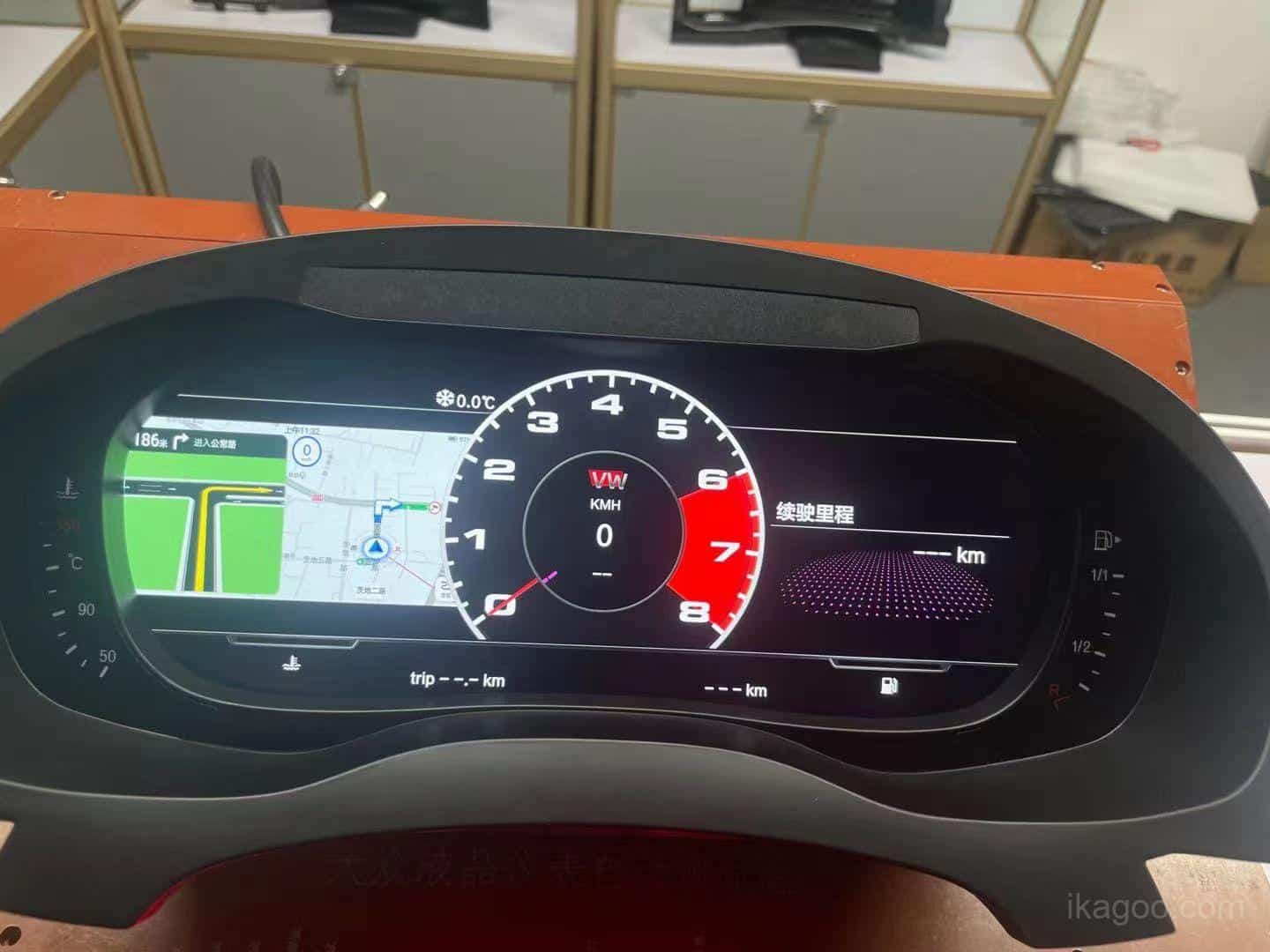
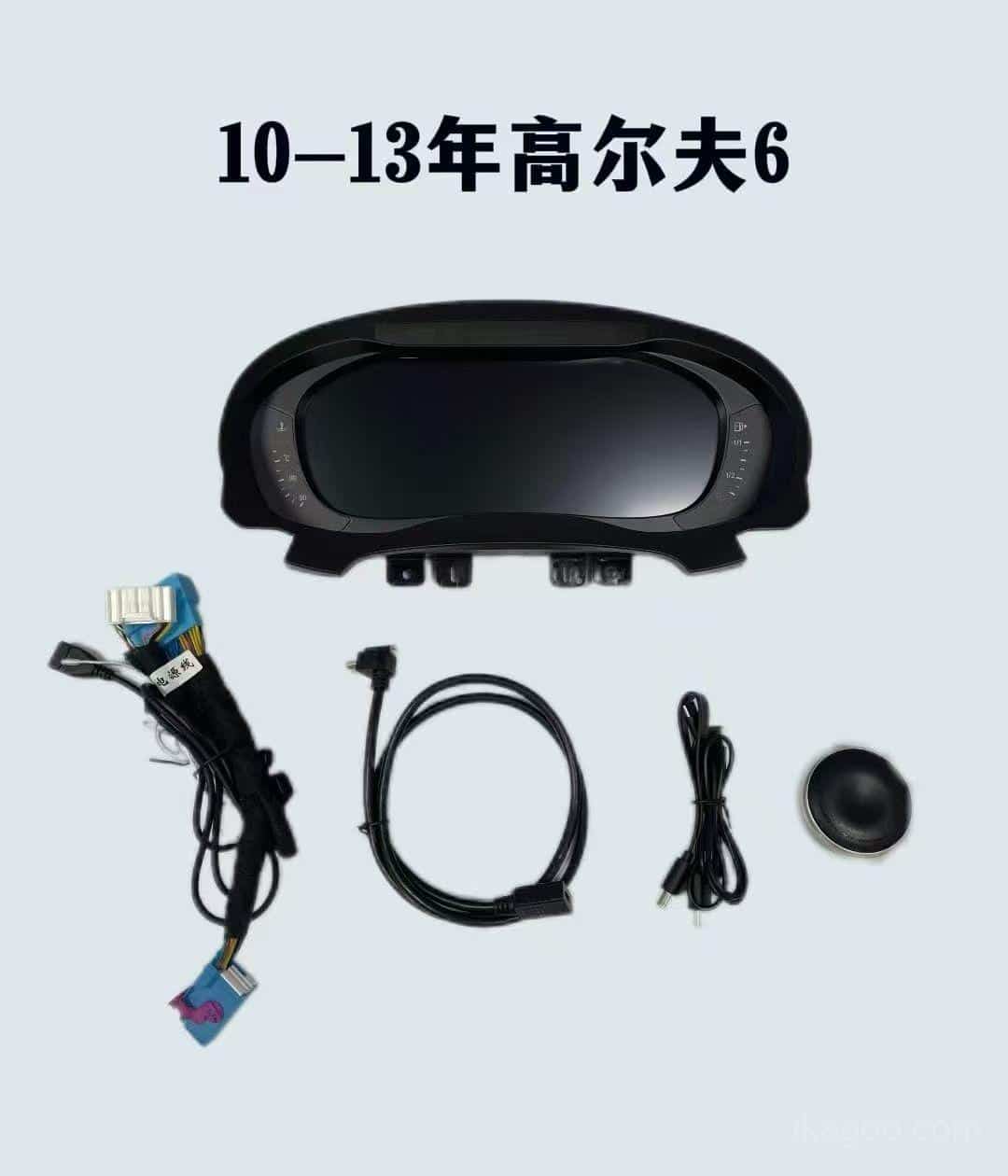
Digitalna instrumentna ploča za Volkswagen Golf Mk6 2008-2014
Ispravna stranica za kupnju za rutu PQ Golf Mk6 obuhvaćenu ovim vodičem.
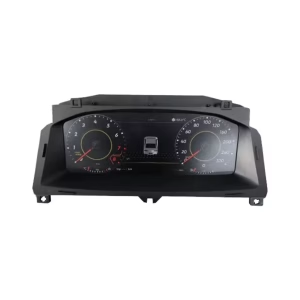
VW Digitalna kolekcija instrument ploča
Koristite ovu kategoriju ako uspoređujete Golf Mk6 s drugim Volkswagenovim digitalnim instrumentnim pločama.
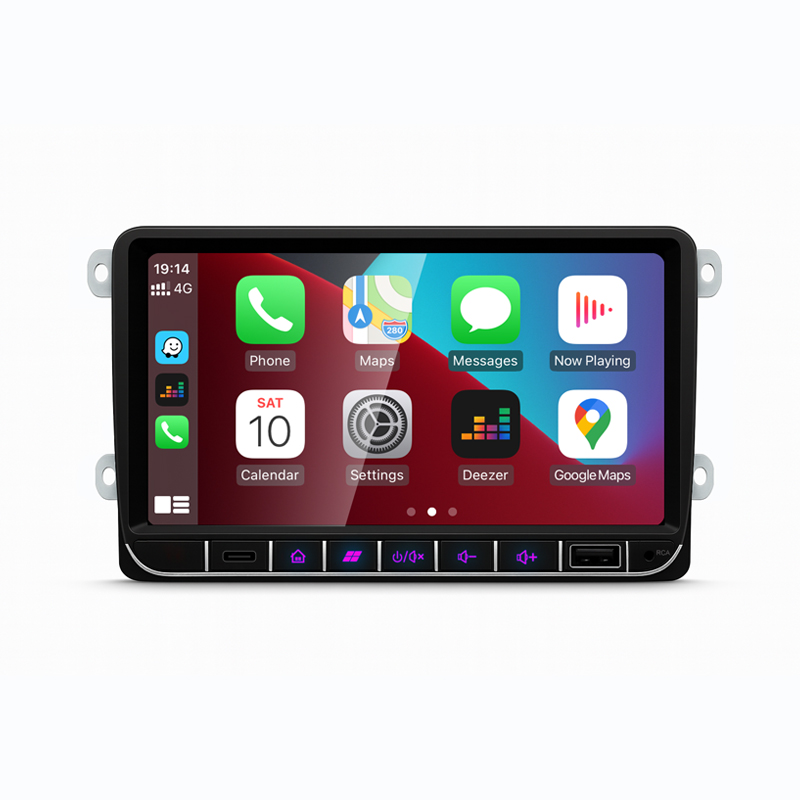
Volkswagen Android Stereo
Ako isto sklapanje Golfa Mk6 ili Sharana također zahtijeva nadogradnju uređaja za središnji zaslon, usporedite ovu opciju zasebno.
Pomoćna ruta: ako trebate podršku za instalaciju ili pomoć s paketom za nadogradnju izvan stranice o hardveru, upotrijebite Volkswagen / Audi paket za nadogradnju digitalne instrumentne ploče. Ikagoo se bavi proizvodnom rutom; FixMyDash se bavi paketom podrške.
Često postavljana pitanja
Je li ovaj vodič za svaki Volkswagen Golf Mk6?
Ne.Namijenjen je za 2009-2014 PQ platforma ruta s originalnim mehaničkim instrumentnim blokom.
Što trebam provjeriti prije nego što počnem skidati obloge?
Prvo provjerite osnovnu liniju i upozorenja. Potvrdite izvorni oblik mehaničke instrumentne ploče, fotografirajte instrumentnu ploču i prije uklanjanja isključite upozorenje na zimske gume i upozorenje na brzinu putem višenamjenskog izbornika ograničenja.
Koji su modeli podržani?
Golf GTI, Golf R, Golf GT i Golf Cabriolet. Ista ruta također podržava benzinske i dizelske verzije kada se originalni okvir podudara.
Mogu li naručiti samo po godini?
Ne.Originalni obruč i okvir instrumentne ploče važniji su od same oznake godine.
Radi li na automobilima s upravljačem s lijeve i s desne strane?
Da.Radi na automobilima s lijevom i desnom vozačevom stranom kada je originalna konstrukcija usklađena.
Mogu li koristiti ovaj vodič na PQ-platformi Sharana?
Da, ali postoji jedna dodatna napomena.Usporedite originalni mehanički okvir instrumentne ploče s videom i pošaljite fotografije ako je obrisi instrumentne ploče drugačiji. Na Sharanu, dva mala reza mogu biti potrebni i trebaju se otvarati postupno.
Je li LCD zaslon krhak tijekom instalacije?
Da.Nemojte pritiskivati jako, ne uvijajte ploču niti silom uguravati mrežicu na mjesto. Držite je samo za vanjski okvir.
Što obično uzrokuje probleme s podrškom nakon završetka instalacije?
Obično jedan preskočeni detalj. Uobičajeni uzroci su propuštena preusmjerba na maloj ploči, netačni PQ-postavci, uključeno fizičko svjetlo ili namještanje kućišta koje je bilo nametnuto umjesto pažljivo ispravljeno.
Što ako se čini da je klaster pomalo prevelik da bi stao u otvor na instrument ploči?
Prvo provjerite rub kućišta. Neki slučajevi kod kupaca pokazuju da je možda potrebno malo dorade na rub naknadno oblikovanog kućišta. Ovo nije isto kao rezanje tvorničke instrumentne ploče. Ako oblik okvira odgovara, ali pristajanje je tijesno, pregledajte video i pažljivo prilagodite rub kućišta umjesto da silom uguravate zaslon.
Što ako pokazivač goriva ne pokazuje puno nakon točenja?
Pokrenite PQ kalibraciju zapremine spremnika goriva. Napunite spremnik, provozajte se kratku udaljenost, otvorite Podaci o vožnji → Količina za dopunjenje, zatim unesite tu vrijednost u Postavke → Konfiguracija kalibracije → Volumen spremnika goriva dok se količina za ponovno punjenje ne vrati na nulu.
Zašto je prikaz pokazivača smjera neobičan nakon ugradnje?
Provjerite je li fizičko svjetlo omogućeno. Na PQ platformi, fizičko svjetlo Postavka bi trebala biti isključena, inače se ponašanje prikaza žmigavca može ometati.
Može li instrumentna ploča sama prikazati kartu ili sadržaj CarPlayja?
Ne.To ovisi o zasebnoj multimedijskoj ruti. Sam klaster nije izvor signala.
Što trebam poslati prije kupnje?
Fotografija instrumentne ploče i fotografija originalnog instrumentnog klastera.Ako je vaš okvir neobičan, pošaljite i krupni plan okvira.




Add comment