XStore tema

No products in the cart.

Audi A6 C6 Android glavno računalo za automobil 2005.–2011. s 10,25″ CarPlay, Android Auto i DSP

Marka:

From: $318.00

Bez carine Samo EU i SAD
Detalji
Siguro od PayPal
DDP usluga s unaprijed plaćenim porezom

Brinemo se o svim PDV-ima i pristojbama. Procijenjena ušteda: $120–$280.

SAD (48 saveznih država)AustrijaBelgijaBugarskaHrvatskaCiparČeškaDanskaEstonijaFinskaFrancuskaNjemačkaGrčkaMađarskaIrskaItalijaLatvijaLitvaLuksemburgMaltaNizozemskaPoljskaPortugalRumunjskaSlovačkaSlovenijaŠpanjolskaŠvedska
ili

Imate li pitanja?

Slobodno Javite se

Platite sigurno putem PayPala Platite sigurno s Visa Platite sigurno s Master Cardom Platite sigurno s JCB-om Platite sigurno s American Expressom Platite sigurno s Alipayem Platite sigurno s Google Payom Platite sigurno s Klarnom Platite sigurno s DISCOVER Platite sigurno pomoću Apple Pay
Jamči sigurno i zaštićeno plaćanje
iKAGOO zaštita kupca

Zaštita kupnje za ovaj proizvod

Provjera kompatibilnosti, sigurno plaćanje, praćena dostava i praktična podrška nakon prodaje.

Pravo na podnošenje zahtjeva, razdoblja izvještavanja i pravna sredstva ovise o primjenjivoj politici iKAGOO i pregledu slučaja.

Prikaži pravila zaštite
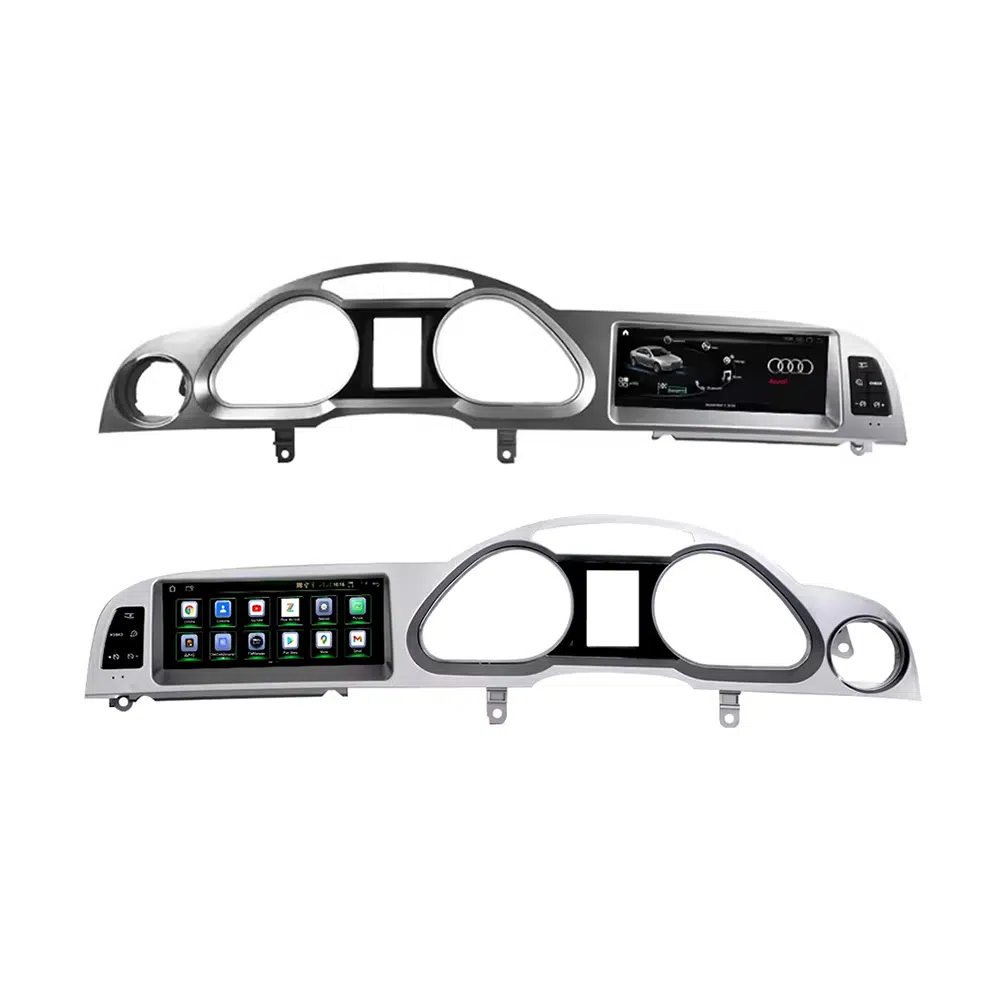
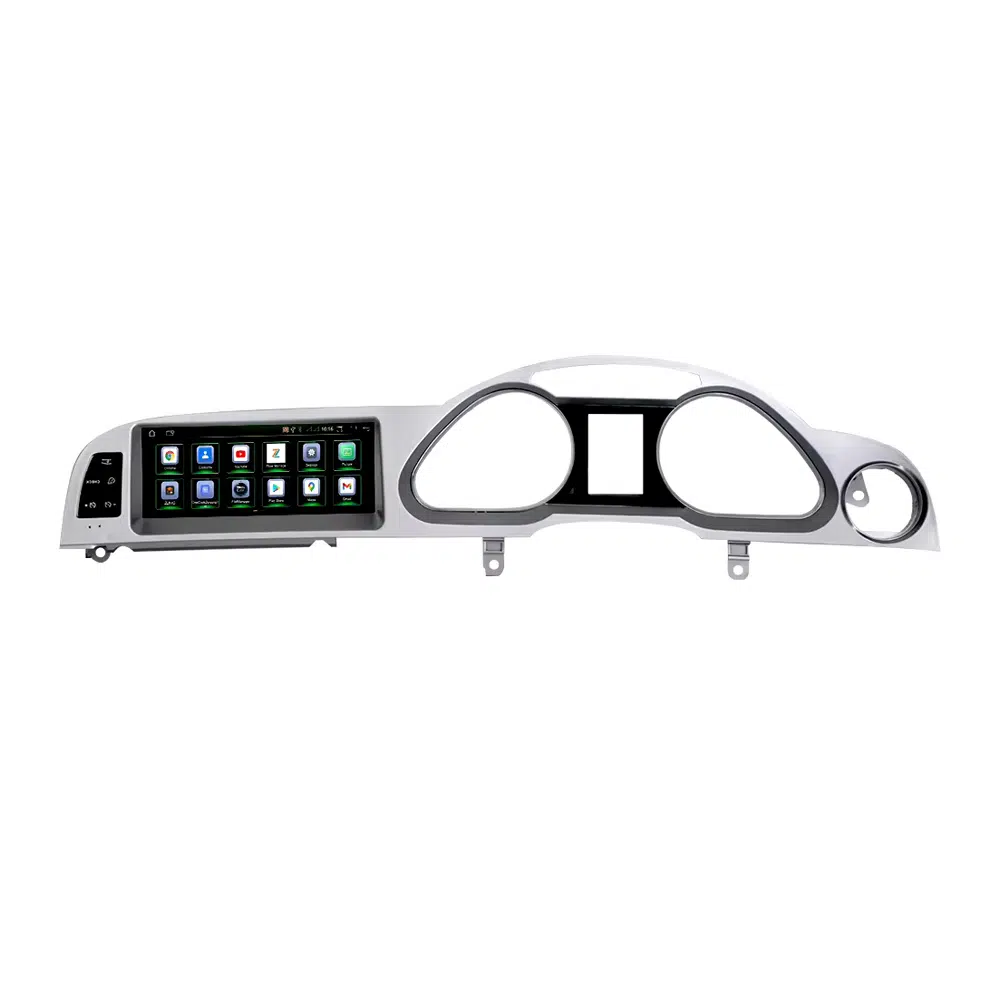
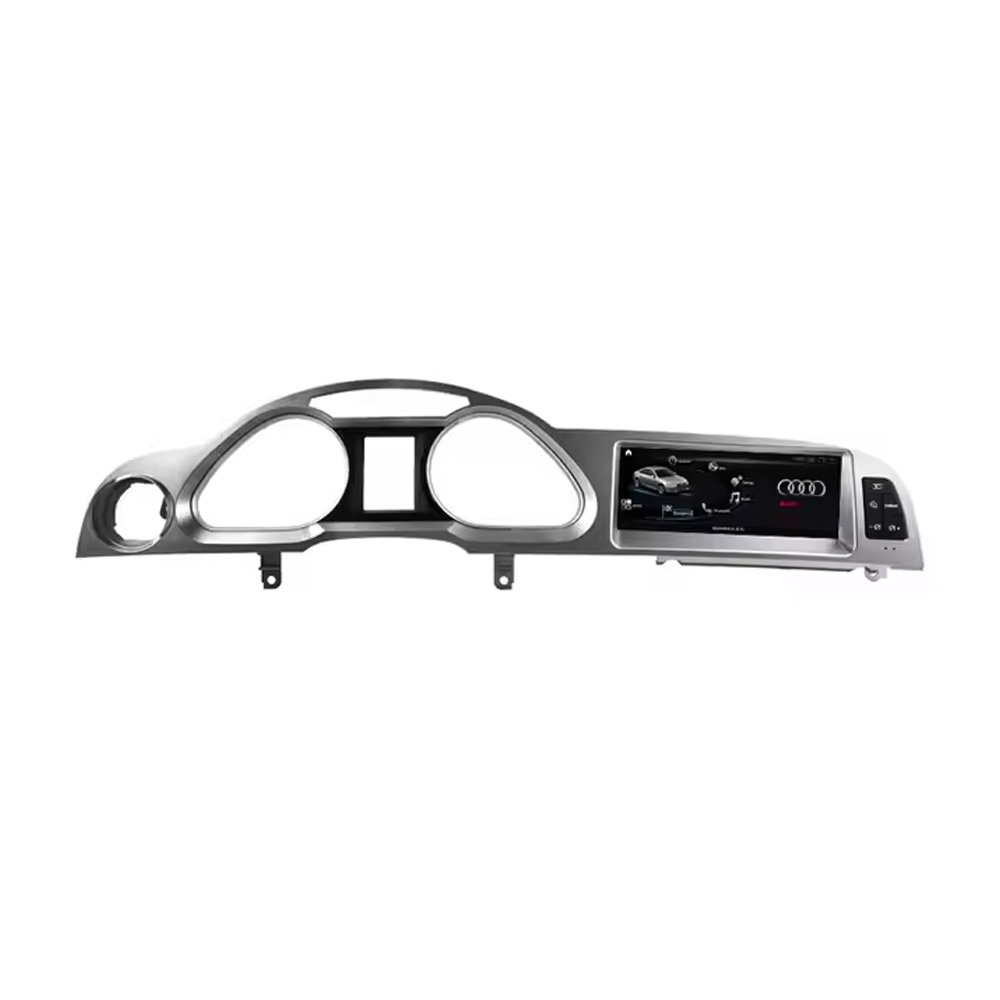
Audi A6 C6 Android Head Unit 2005 2011 10.25 inch screen panel
Audi A6 C6 / 4F · 2005–2011 · MMI Upgrade
Audi A6 C6 Android Head Unit with 10.25″ CarPlay, Android Auto, GPS and DSP

Upgrade your Audi A6 C6 / 4F from 2005 to 2011 with an iKAGOO vehicle-specific 10.25-inch Android head unit. This factory-style screen upgrade adds wireless CarPlay, Android Auto, GPS navigation, DSP 32-band EQ audio, WiFi/4G, Bluetooth and supported Audi MMI system access while keeping the dashboard close to the original interior layout.

Audi A6 C6 / 4F 2005–2011 10.25-inch screen Android 13 Bežični CarPlay Android Auto DSP 32-band EQ WiFi / 4G

Before shipment, iKAGOO checks your dashboard photo, LHD/RHD position, original MMI screen, button layout, AUX/AMI audio route, camera system and whether your vehicle needs a MOST fiber optic decoder.

See the Upgrade First

See the Audi A6 C6 Android Head Unit Upgrade Before You Order

These key visuals appear early because Audi owners usually decide first by dashboard fitment, screen style, CarPlay view, wiring confidence and MOST fiber optic audio risk.

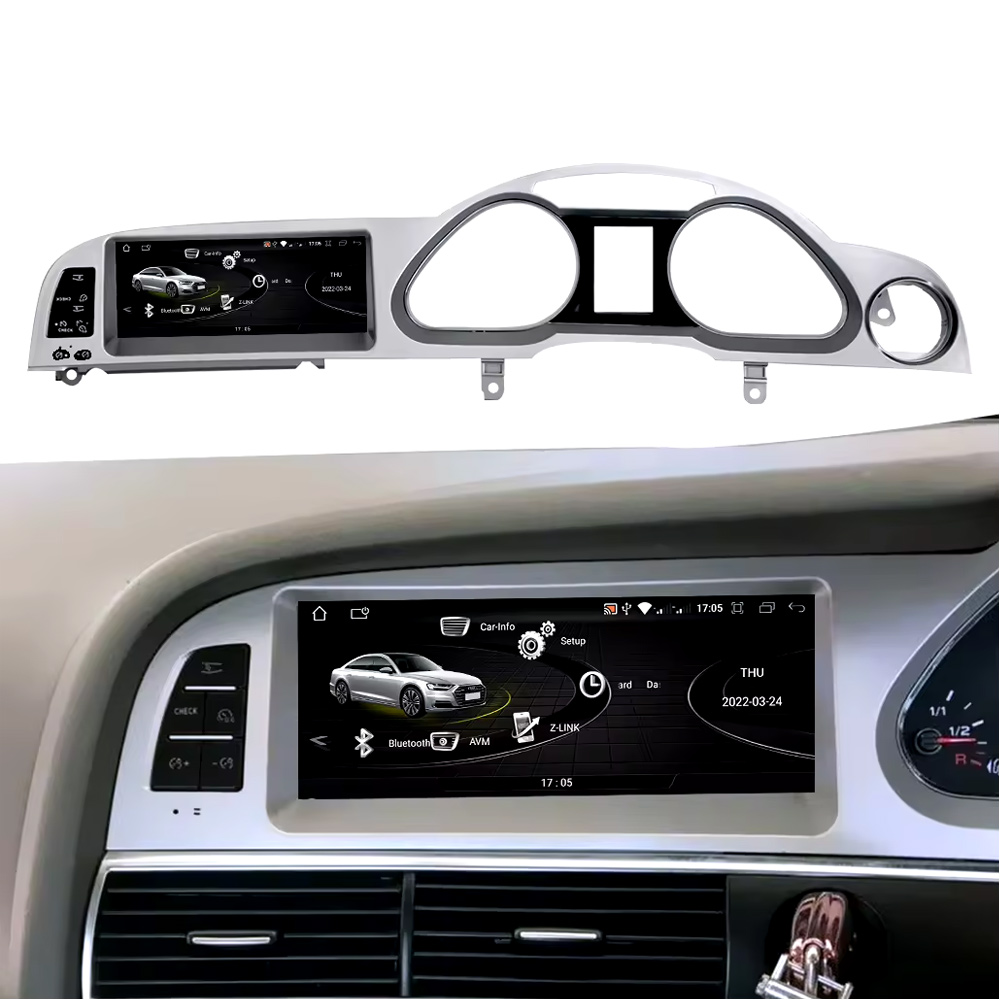
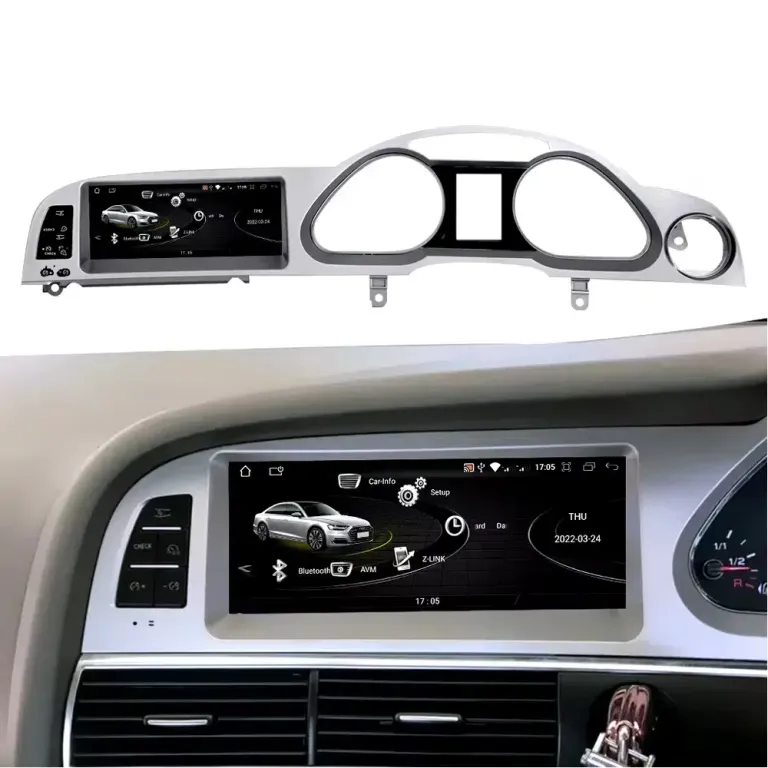
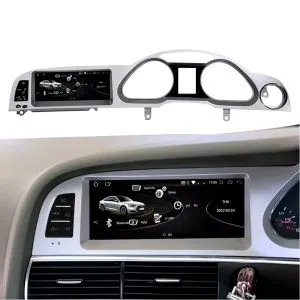
Installed dashboard effect

Check how the 10.25-inch Android screen sits inside the Audi A6 C6 dashboard before reading the full specifications.

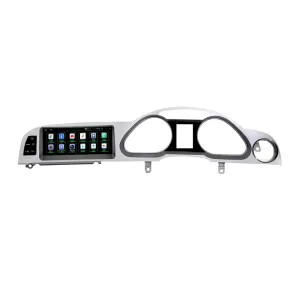
Audi A6 C6 Android Head Unit installed dashboard effect

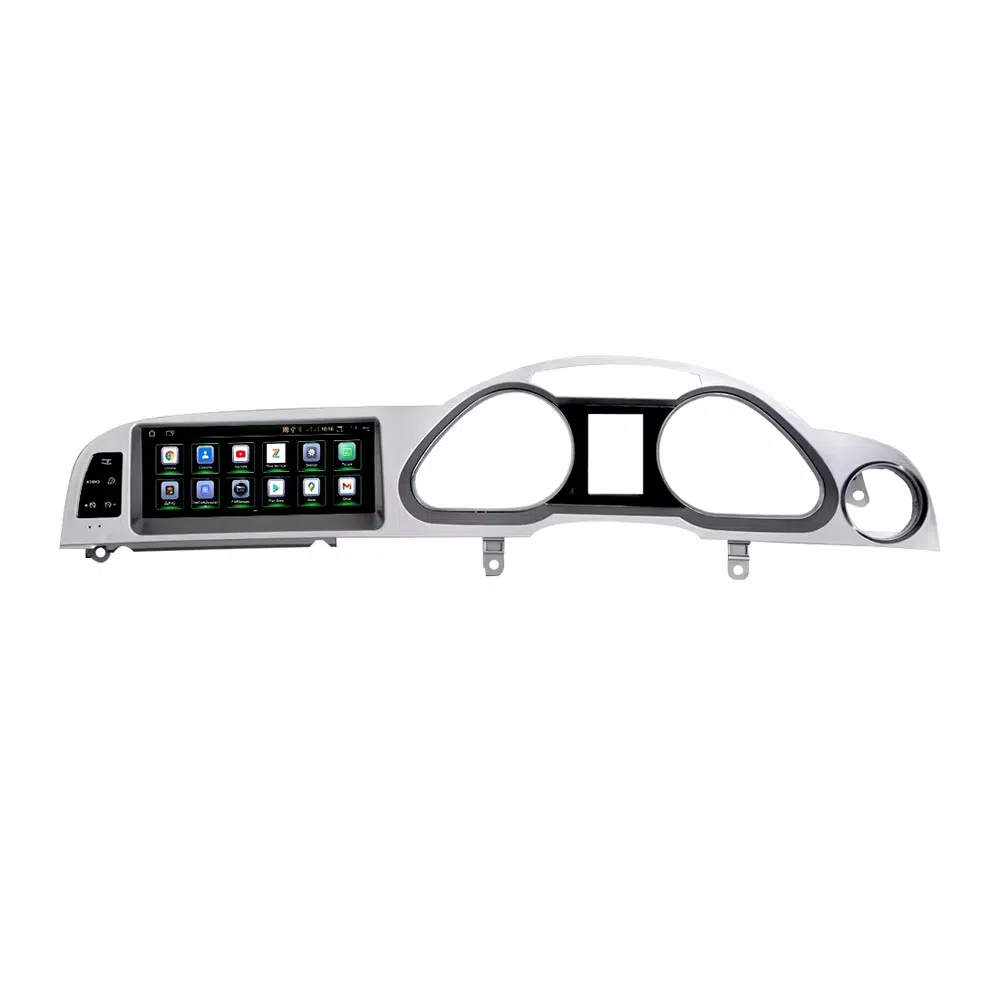
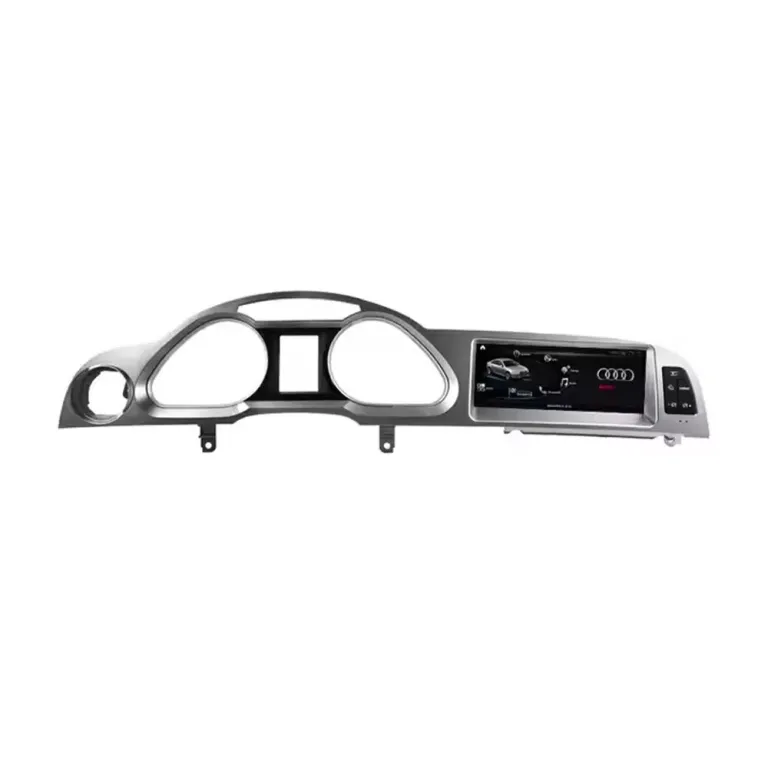
Factory-style screen panel

The panel shape and side-button layout help keep the upgrade close to the original Audi interior instead of a universal tablet look.

Audi A6 C6 Android screen panel factory style fitment

Audi-style Android interface

The interface direction gives the cabin a modern screen experience while staying visually closer to Audi’s original MMI style.

Audi A6 C6 Android Head Unit Audi style interface

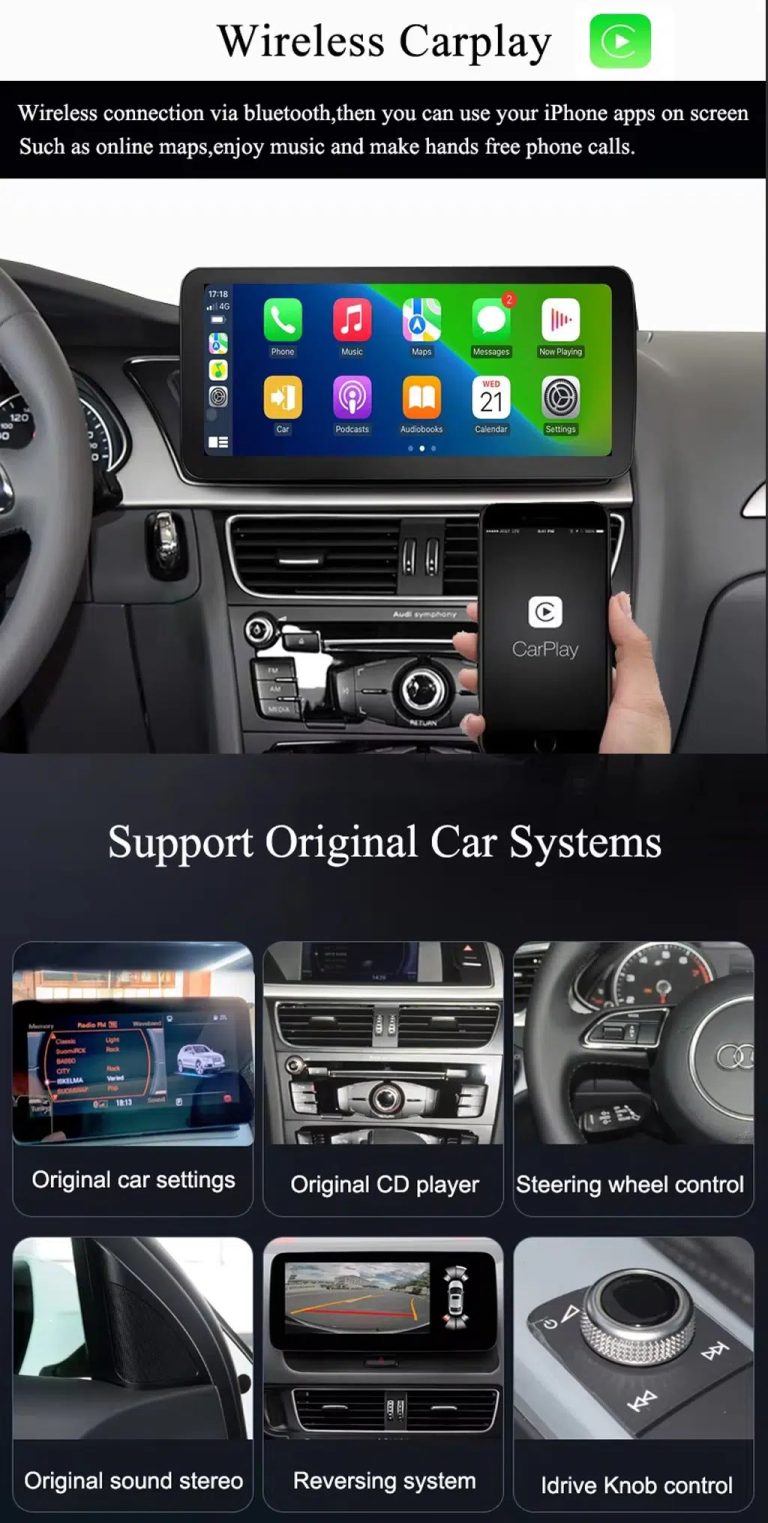
Wireless CarPlay and original system route

Use CarPlay for maps, music and calls while keeping supported original Audi menu access after correct system matching.

Audi A6 C6 wireless CarPlay Android screen original system support

Wiring and accessory confidence

Correct wiring, GPS, microphone, USB and interface accessories matter for clean MMI integration and stable daily use.

Audi A6 C6 Android Head Unit screen harness microphone GPS accessories

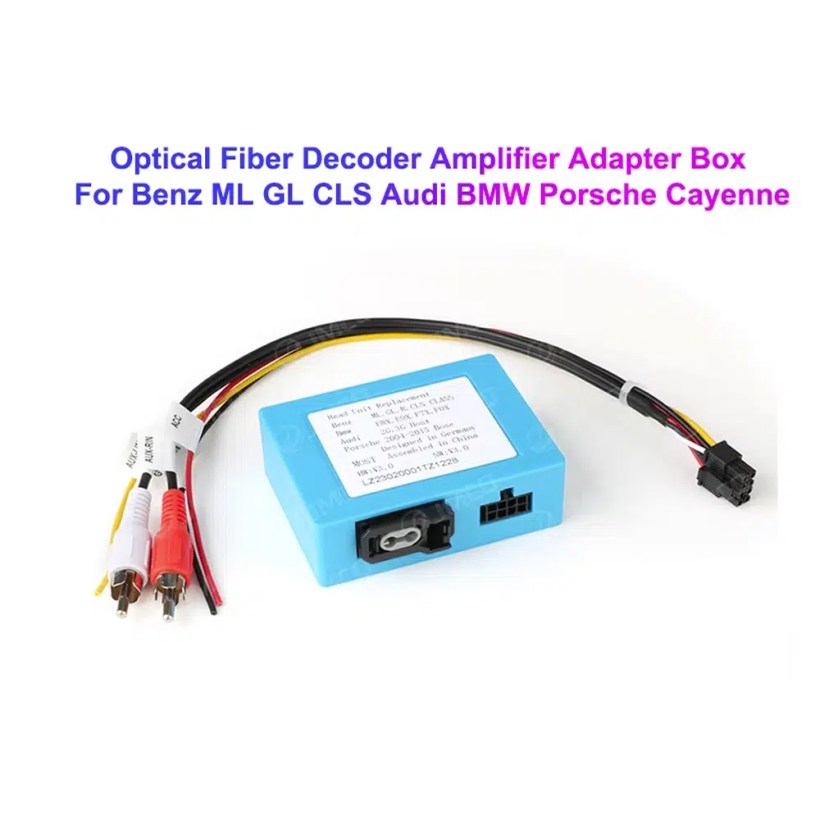
MOST fiber optic decoder check

Some Audi A6 C6 vehicles need a MOST fiber optic decoder. Confirming this before shipment helps avoid no-sound problems.

Audi A6 C6 MOST fiber optic decoder Android screen adapter
Kratak odgovor

Audi A6 C6 Android Head Unit for 2005–2011 with CarPlay, Android Auto and DSP

This iKAGOO Audi A6 C6 Android Head Unit is made for selected Audi A6 C6 / 4F vehicles from 2005 to 2011. It upgrades the factory MMI display experience with a 10.25-inch Android 13 screen, wireless CarPlay, Android Auto, GPS navigation, DSP 32-band EQ audio, WiFi/4G, Bluetooth, USB DVR support and supported rear camera integration. Supported original functions such as Audi MMI menu access, steering-wheel control, original vehicle information, radio/CD audio route, parking information and factory camera route can continue to work after correct vehicle matching and installation. For vehicles with premium audio or MOST fiber optic, iKAGOO checks whether a fiber optic decoder is required before shipment.

Vrijednost kupnje

Why This Audi A6 C6 Android Head Unit Is Worth Upgrading

10.25-inch Android screen with factory-style fitment

The Audi A6 C6 dashboard has a wide factory screen area. This Android head unit gives your A6 a cleaner 10.25-inch display while keeping the screen position close to the original MMI layout.

Wireless CarPlay and Android Auto for daily driving

Use phone maps, music apps, messages, calls and compatible voice functions through a wider Audi A6 C6 Android screen upgrade instead of relying only on the old factory interface.

DSP, camera and MMI system matching before shipment

iKAGOO checks your MMI system, AUX/AMI audio route, MOST fiber optic requirement, factory camera and parking display configuration before preparing the correct Audi A6 C6 Android Head Unit version.

Not sure whether your vehicle is the correct Audi A6 C6 / 4F version? Send the dashboard photo, original screen photo, button panel photo and audio connector details. iKAGOO prepares the correct screen route according to the vehicle structure, not only the model year.
Održavanje tvorničke funkcije

Original Audi Functions Supported After Correct Matching

Function retention depends on the confirmed Audi MMI system, correct harness, CANBUS decoder, AUX/AMI route, MOST fiber optic requirement, camera input and installation configuration.

  • Original Audi menu access
    Supported original Audi menu and vehicle settings can remain accessible through the matched system-switching route.
  • Upravljanje na upravljaču
    Supported steering-wheel buttons can continue to work after correct CANBUS configuration.
  • Radio / CD / original audio route
    The original radio and CD audio route can be retained when AUX, AMI or the correct audio connection is prepared.
  • Factory camera and parking display
    Rear view camera AHD/CVBS and 360 camera routes must be confirmed before shipment.
  • Prikaz informacija o vozilu
    Supported vehicle data such as door, speed, warning and parking information can continue to display after correct setup.
  • Zaštita tvorničkog ožičenja
    The matched wiring route is designed to avoid intentionally cutting the supported factory main wiring harness.
Kompatibilnost na prvom mjestu

Confirm Your Audi A6 C6 MMI System Before Ordering

Information iKAGOO checks before shipment

  • Audi A6 C6 / 4F model year and market version.
  • Dashboard structure and factory screen opening.
  • LHD or RHD steering position.
  • Original MMI screen and button panel photos.
  • AUX or AMI audio port condition.
  • Factory rear camera, parking radar or 360 camera route.
  • Whether the vehicle uses MOST fiber optic audio.
  • Connector photos if iKAGOO needs to confirm the correct harness route.

Why this check matters

Audi A6 C6 vehicles can use different MMI systems, audio routes, camera configurations and dashboard button layouts. A correct Audi A6 C6 4F Android Radio order depends on the original vehicle system, not only the model year.

Checking these details helps iKAGOO prepare the correct Android screen, wiring harness, CANBUS route, AUX/AMI audio method, MOST fiber optic decoder and camera interface for your order.

Configuration Choice

Choose the Right Audi A6 C6 Android Head Unit Version

Ekran

10.25-inch Android Display

The current checkout screen option is 10.25 inch. It gives the Audi A6 C6 cabin a wider modern display while keeping the screen area aligned with the factory dashboard style.

Sjećanje

2+32GB / 4+64GB / 6+128GB / 8+128GB

For basic CarPlay, Android Auto and navigation use, 4+64GB is a practical baseline. For smoother app use, stronger multitasking and longer ownership, choose 6+128GB or 8+128GB.

Audio Route

AUX / AMI / MOST Fiber Optic Check

This is the most important compatibility step. An Audi A6 C6 MOST fiber optic Android screen order should be checked before shipment so the sound route can work correctly.

Function Route

DSP, Camera, CANBUS and Original Menu

DSP audio, original menu switching, steering-wheel control, factory camera and parking information depend on the correct CANBUS, camera and audio configuration.

Fitment Buying Notes

Audi A6 C6 Android Screen Upgrade Buying Notes

Audi A6 C6 Android Head Unit

If your vehicle is an Audi A6 C6, this Android head unit route should be matched by dashboard photos, MMI screen type, button panel and audio connection. Do not order only by year.

Audi A6 C6 4F Android Radio

Many buyers search this product as an Audi A6 C6 4F Android Radio. The practical buying point is the same: confirm the factory screen, MMI generation and audio input method before choosing the Android version.

Audi A6 C6 MMI Android Screen

MMI vehicles may require different connection handling depending on system generation and audio route. Send your original screen and menu photos so iKAGOO can prepare the correct Audi A6 C6 MMI Android screen route.

Audi A6 C6 MMI 2G Android Screen

If your Audi A6 uses MMI 2G, the installation route can be different from later systems. The original MMI menu, AUX/AMI route and connector photos should be checked before shipment.

Audi A6 C6 CarPlay Android Auto Upgrade

This Audi A6 C6 CarPlay Android Auto upgrade is for owners who want modern smartphone integration, online maps, music apps and voice functions without losing supported original Audi information display.

Audi A6 2005–2011 Android Stereo with DSP

Supported DSP audio, factory camera route, parking display, steering-wheel controls and original Audi menu access depend on the correct CANBUS, audio and camera configuration.

Specifikacije

Current Product Specifications

Vrsta proizvodaAudi A6 C6 Android Head Unit / Android screen upgrade / Android stereo route.
Main FitmentSelected Audi A6 C6 / 4F vehicles from 2005 to 2011 after dashboard and system confirmation.
Current Checkout Screen Size10.25 inch.
Opcije memorije2+32GB, 4+64GB, 6+128GB and 8+128GB 8-core route according to checkout selection.
Android SystemAndroid 13 system.
MotherboardTSK / TSK8259 / TSK8667 route depending on selected hardware version.
Procesor8 Core CPU.
CarPlay / Android AutoWireless CarPlay and Android Auto support where selected hardware and phone compatibility allow it.
NavigacijaGPS / Glonass support.
MrežaWiFi / 4G support according to selected hardware and local service.
BluetoothBT 4.0 / BT 5.0 depending on selected hardware route.
AudioDSP 32-band EQ support route shown in the current product attributes.
DVRUSB Front / Rear 1080P DVR support where compatible accessories are used.
RadioFM / AM / RDS or FM / RDS depending on selected hardware route.
Camera Support360 Panorama, rear view camera AHD and rear view camera CVBS routes require vehicle confirmation.
Weight / PackageListed weight: 4.5 kg. Listed dimensions: 84 × 35 × 25 cm.
SKUBBA-120.
iKAGOO standardi

iKAGOO Purchase Assessment for This Audi A6 C6 Android Head Unit

Vrijednost nadogradnje

Potreba za nadogradnjom iKAGOO

88/100

Strong Upgrade Case. The Audi A6 C6 interior benefits clearly from wireless CarPlay, Android Auto, navigation, Bluetooth, DSP audio, WiFi/4G and a modern Android screen.

View Upgrade Necessity Standard
Factory Retention

iKAGOO Originalna kompatibilnost s vozilima

84/100

Good compatibility route when MMI type, AUX/AMI audio, MOST fiber optic, CANBUS, camera and dashboard panel are checked before shipment.

A score of 84/100 does not mean that 16% of factory functions are lost. It means Audi A6 C6 system and audio matching must be handled carefully.

View Compatibility Standard
Install Level

Težina instalacije iKAGOO

Razina 3

Advanced DIY. Suitable for experienced DIY installers or an automotive electronics installer. Screen panel fitment, CANBUS, AUX/AMI, fiber optic, camera and full function testing are required.

View Installation Difficulty Guide
Why iKAGOO

Zašto vlasnici biraju iKAGOO

Priprema specifična za vozilo

iKAGOO checks your Audi model year, dashboard, original screen, button layout and steering position before preparing the screen route.

MMI and audio-route matching

AUX, AMI and MOST fiber optic differences are checked so the Android system can be prepared with the right audio connection path.

Original function integration

The upgrade is prepared to retain supported original menu access, steering controls, vehicle information, camera and parking information.

Zaštita tvorničkog ožičenja

The matched harness is designed for clean connection without intentionally cutting the supported factory main wiring.

Podrška za instalaciju

Order-based setup support helps your installer check wiring, CANBUS settings, sound output and original system switching.

12-month hardversko jamstvo

Eligible hardware issues are handled under iKAGOO’s 12-month limited warranty and after-sales support process.

Decision Guide

Repair the Old MMI Screen, Add CarPlay, or Upgrade the Full Android Display?

Keep Original

Factory Audi Screen Only

Best only if you are satisfied with the old interface, limited connectivity and older navigation experience.

  • No upgrade cost
  • Old screen experience remains
  • Limited app and phone integration
Basic Add-On

CarPlay Interface Module

Useful if you only need CarPlay, but it does not give the cabin a new Android screen or wider modern display layout.

  • Less visual change
  • Depends on original screen condition
  • No full Android system
Generic Screen

Universal Android Unit

May look cheaper at first, but Audi A6 C6 MMI, AUX/AMI, MOST fiber optic and camera matching can become the real risk.

  • Fitment uncertainty
  • Audio route risk
  • May look aftermarket

Purchase Conclusion

If you want your Audi A6 C6 to feel modern while keeping the dashboard close to Audi’s original interior style, this iKAGOO Android head unit is the stronger route than a basic CarPlay box or a generic universal screen.

More Product Details

More Photos, Features and Installation References

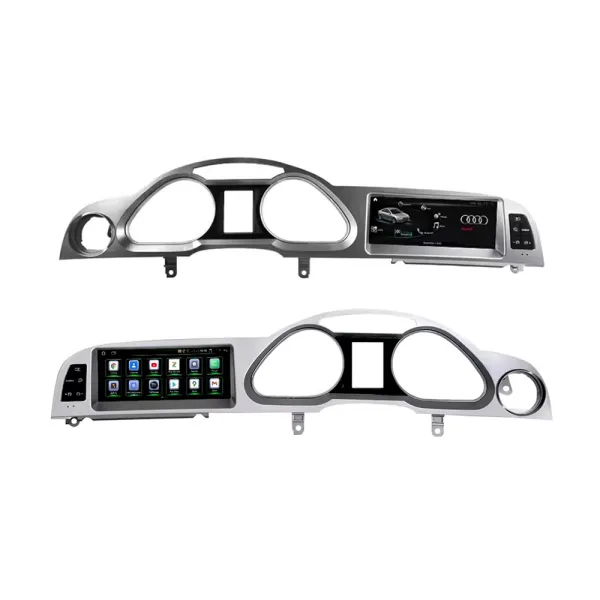
Confirm the left-hand and right-hand drive route

LHD and RHD vehicles may need different screen and panel preparation. Send your dashboard photo before ordering so iKAGOO can prepare the correct version.

Audi A6 C6 Android Head Unit LHD RHD product direction

Check the real dashboard fitment position

This cabin reference helps you compare the screen location, side buttons and dashboard opening before placing an order.

Audi A6 Android Head Unit dashboard installation position

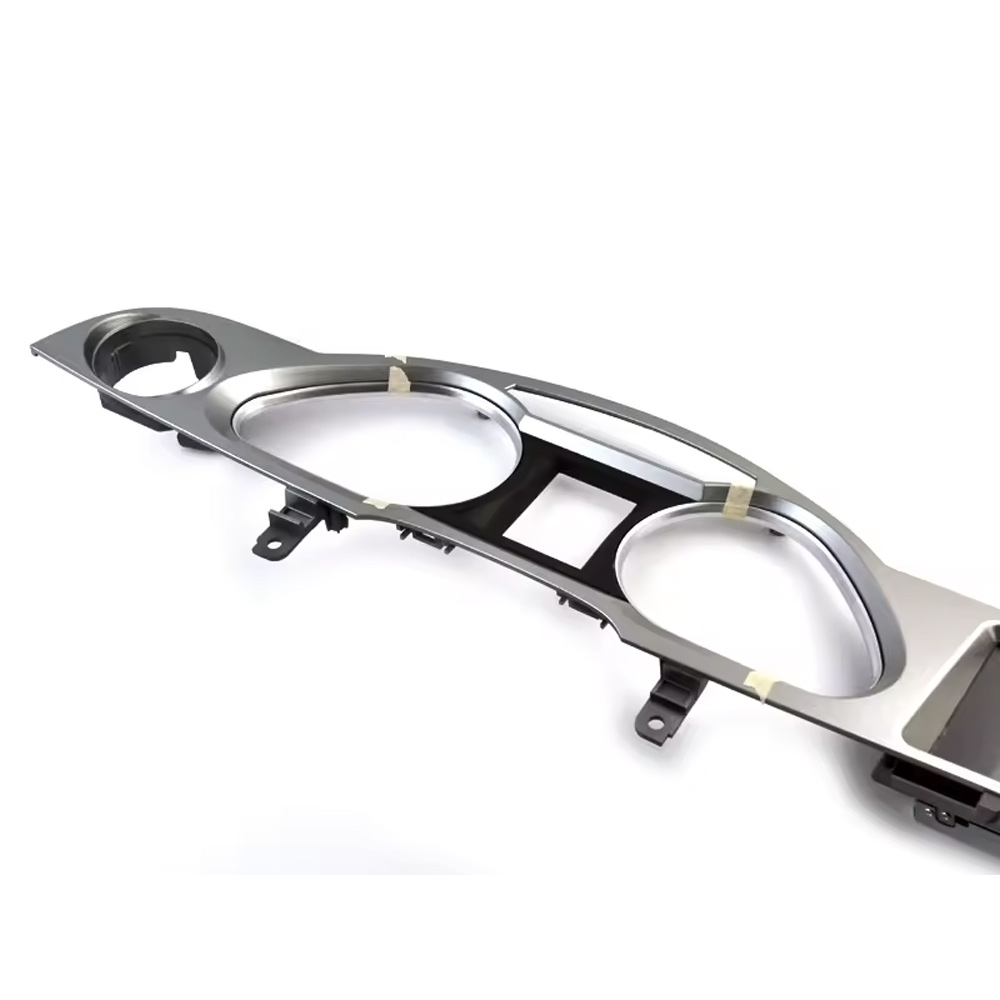
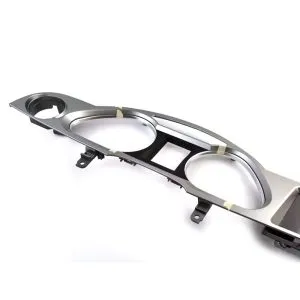
Understand the panel structure before installation

The side-angle panel view helps your installer see how the Audi A6 C6 screen assembly sits inside the original dashboard structure.

Audi A6 C6 Android screen dashboard panel structure

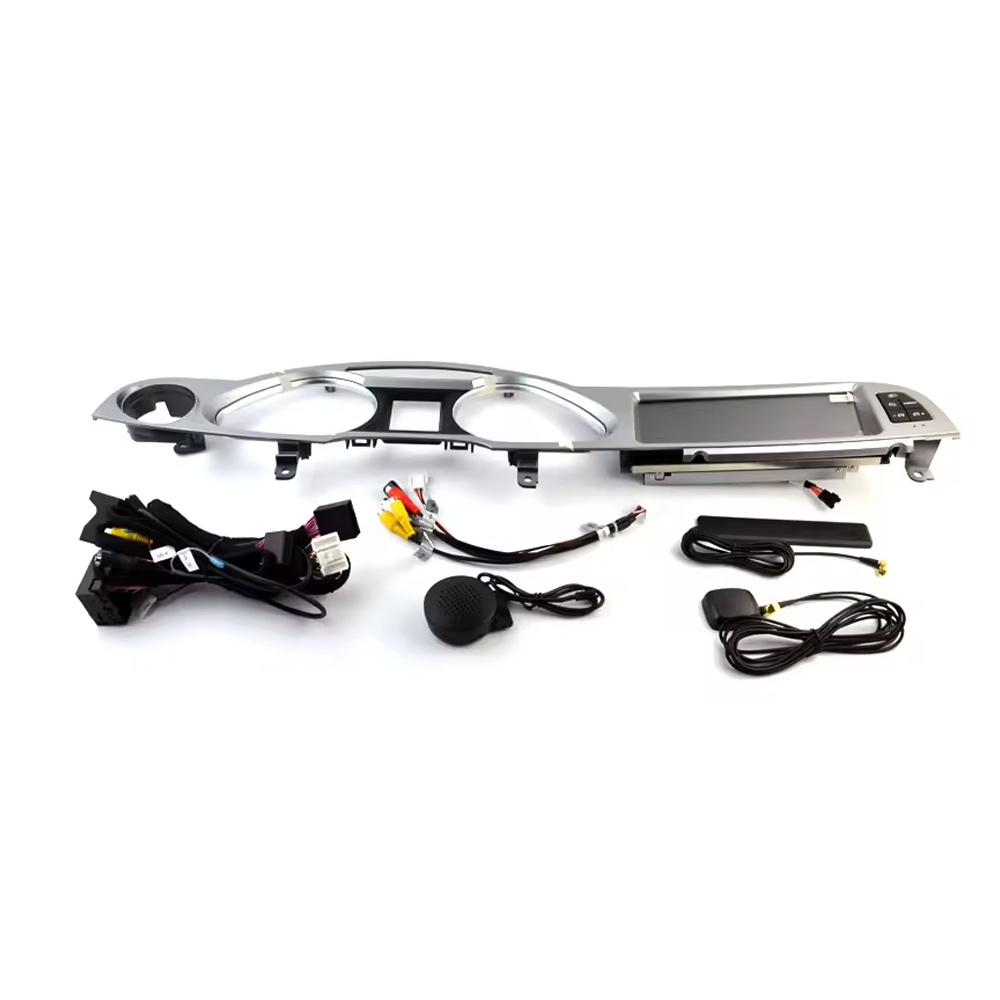
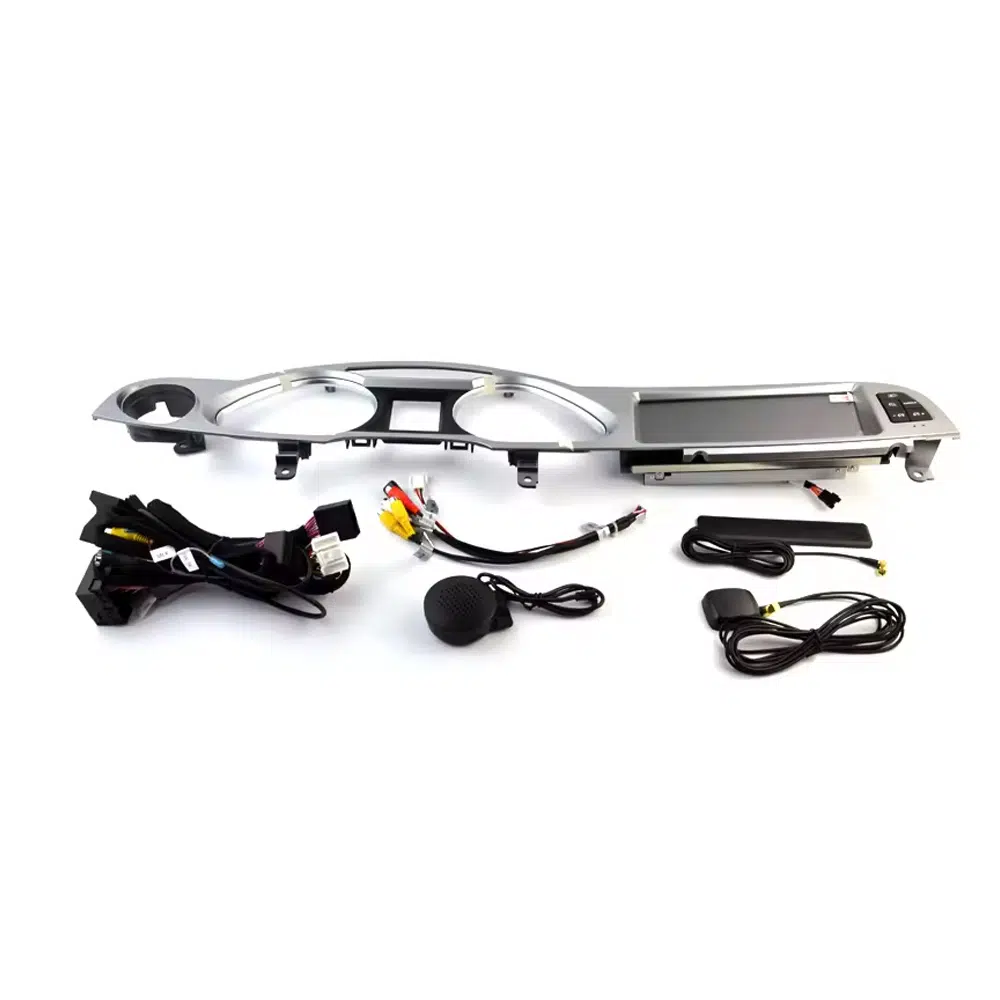
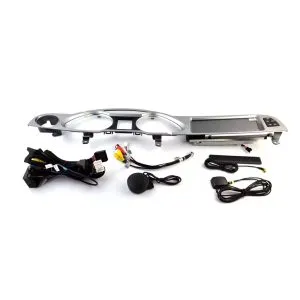
Check the screen, wiring and installation accessories

Correct accessories matter for Audi MMI integration. The wiring, GPS, microphone and interface parts should match your original Audi system.

Audi A6 C6 Android Head Unit wiring harness accessories

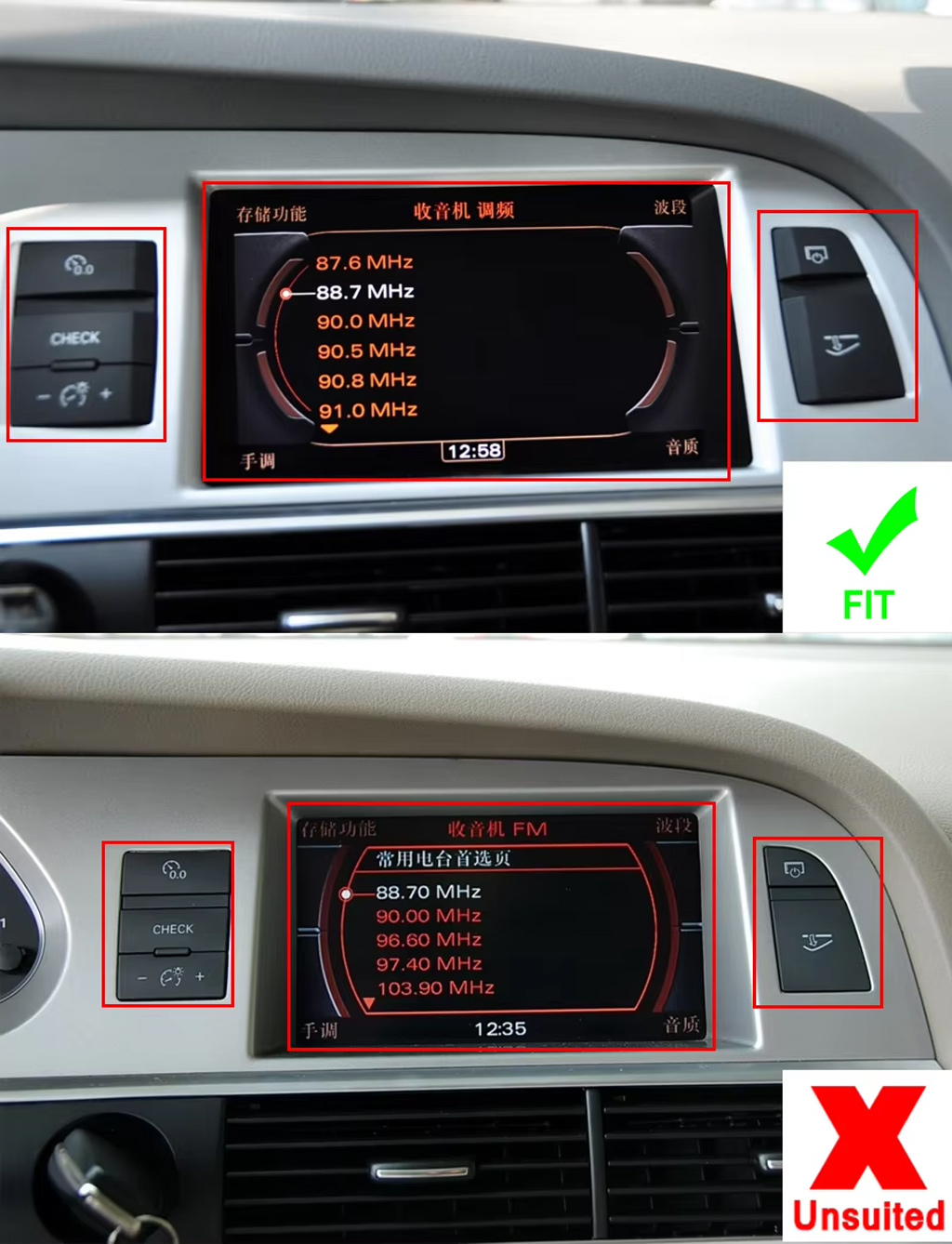
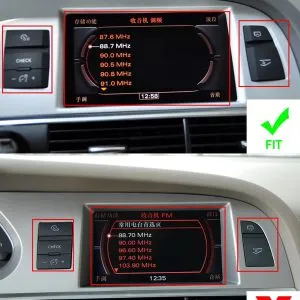
Confirm suitable and unsuitable dashboard layouts

This reference helps avoid wrong orders by comparing compatible and incompatible screen/button positions before shipment.

Audi A6 C6 Android Head Unit dashboard fitment suitable unsuitable reference

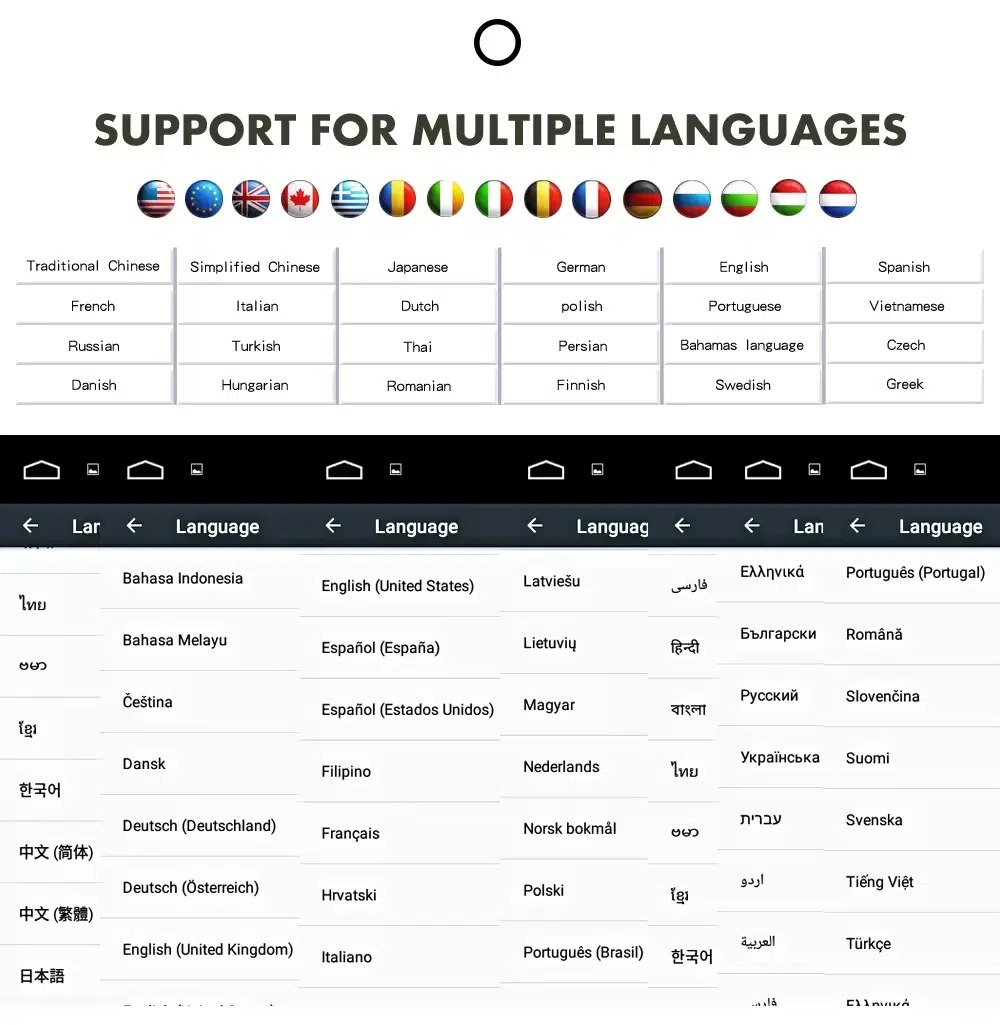
Use the Android interface in multiple languages

Multi-language support helps international Audi owners and installers operate the Android interface more comfortably. Actual language availability may vary by firmware version.

Audi A6 Android Head Unit multiple language interface support

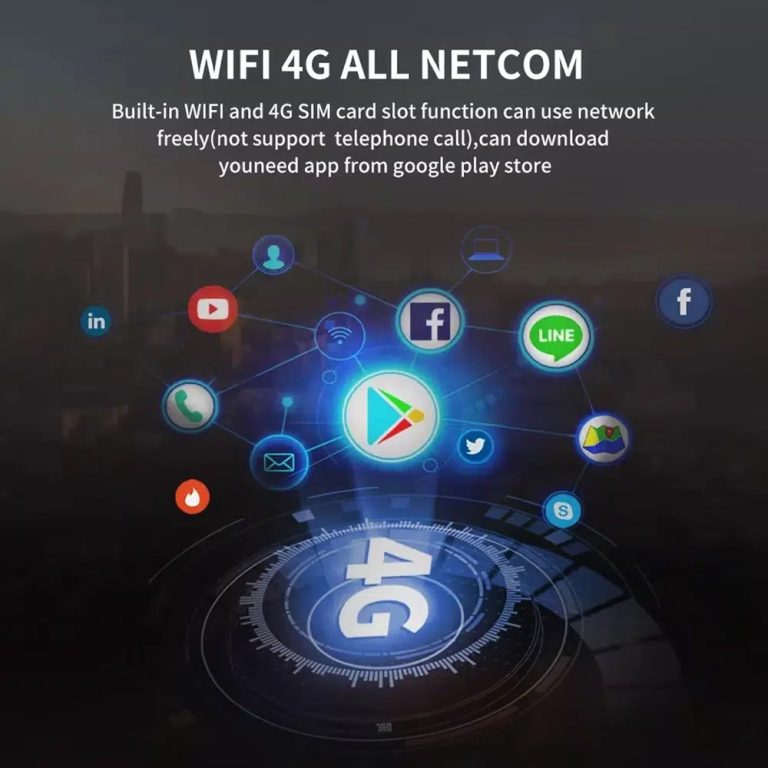
Use WiFi and 4G for connected Android functions

WiFi and compatible 4G support online maps, app downloads and connected Android functions where your selected hardware and local network service allow it.

Audi A6 C6 Android Head Unit WiFi 4G online app support

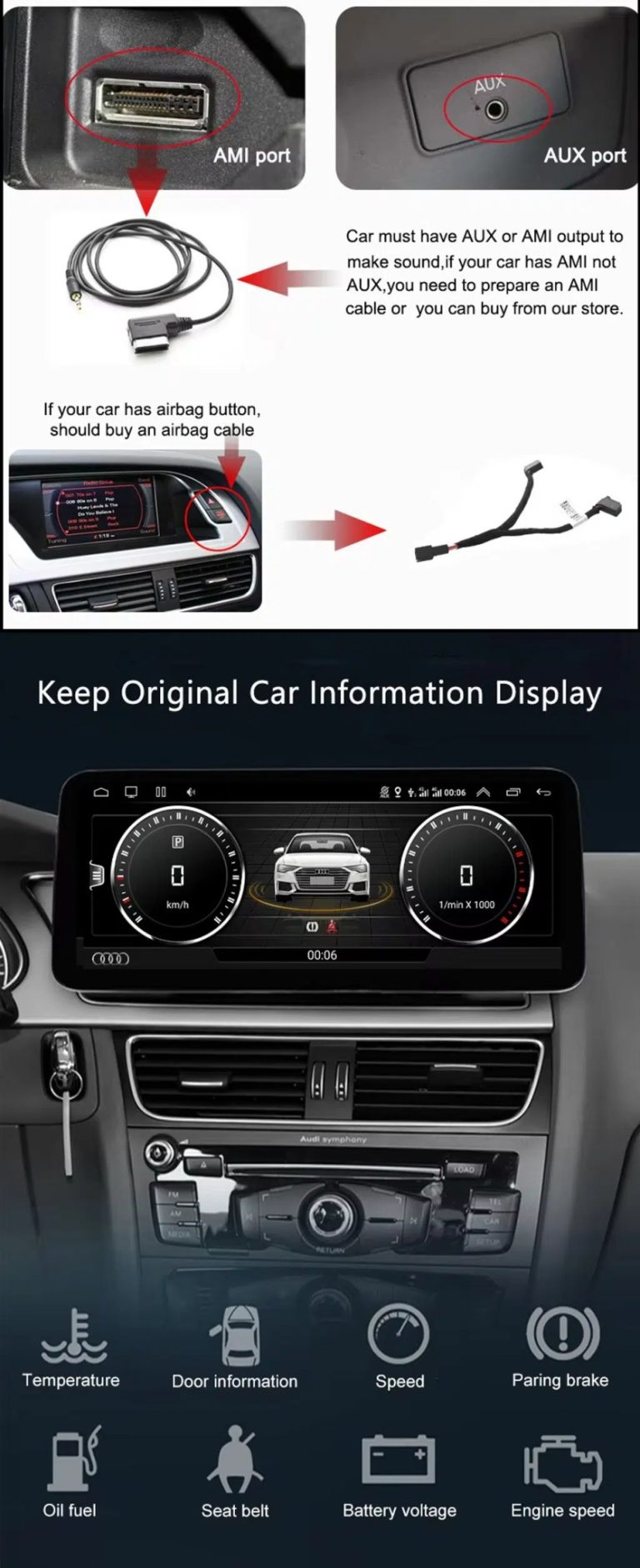
Check AUX / AMI audio and vehicle information display

Audio output depends on the correct AUX or AMI route. The original vehicle information display can continue to work after correct configuration.

Audi A6 C6 Android screen AUX AMI original vehicle information display

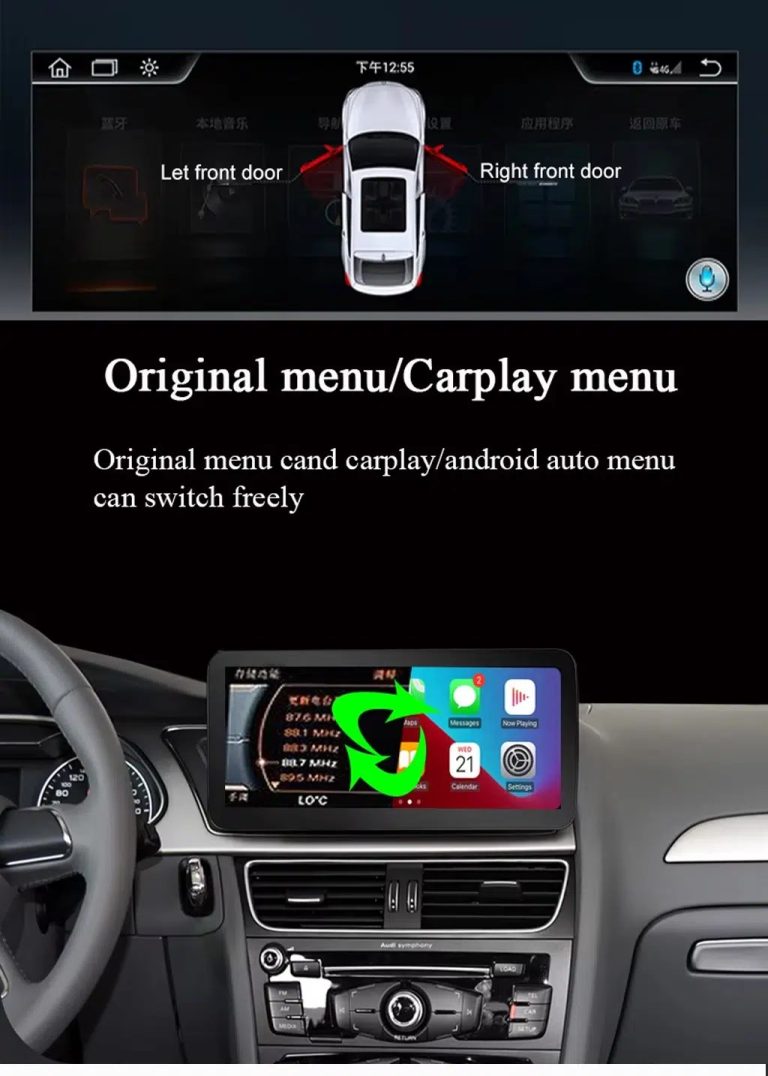
Switch between original Audi menu and CarPlay menu

This function direction matters because Audi owners still need supported original vehicle settings while using CarPlay or Android Auto.

Audi A6 C6 Android Head Unit original menu CarPlay Android Auto switching

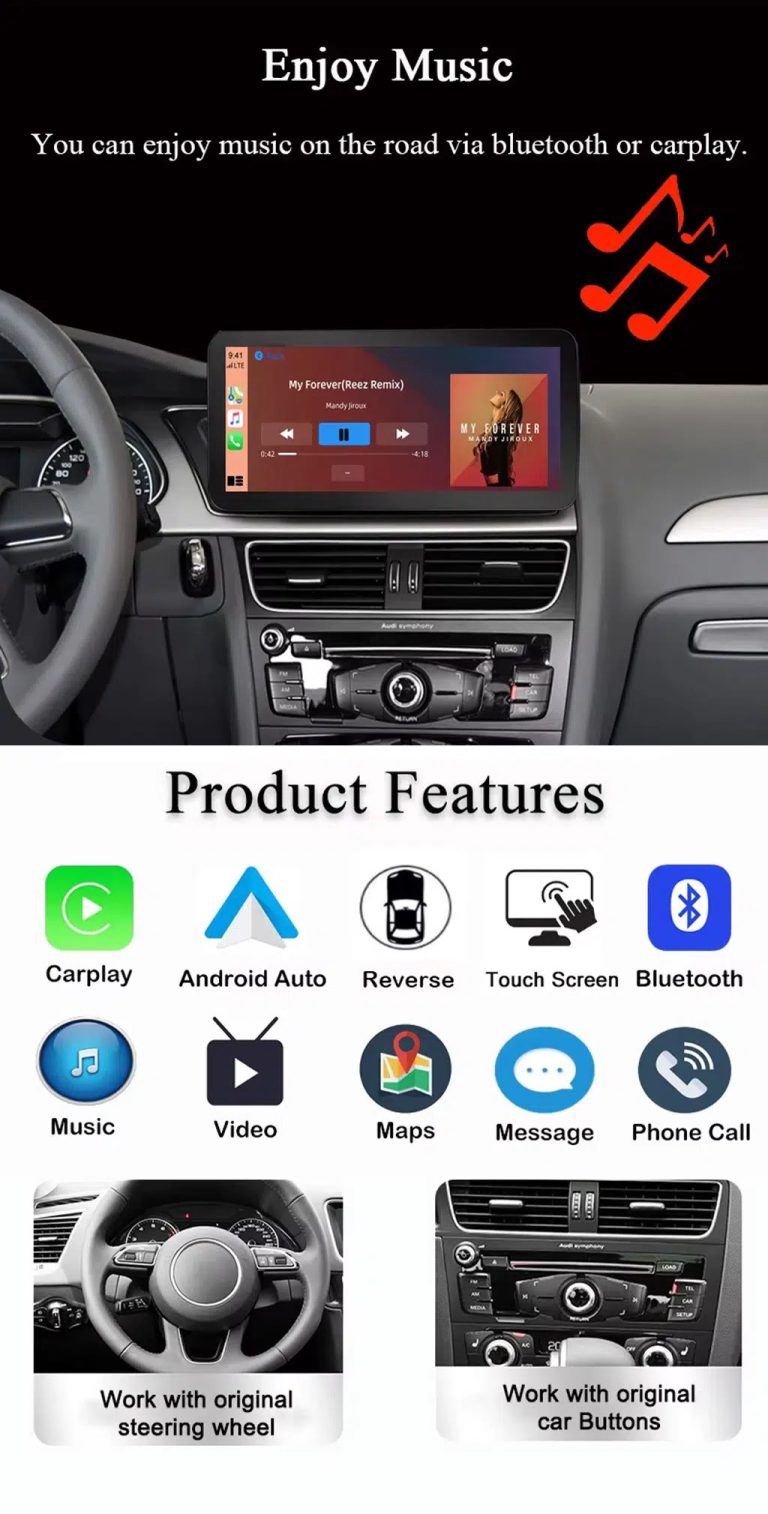
Use music, maps, calls and Android Auto every day

The feature overview explains the daily value of the Audi A6 C6 CarPlay Android Auto upgrade: navigation, Bluetooth music, phone calls, touch operation and original control support.

Audi A6 C6 Android Head Unit CarPlay Android Auto music maps Bluetooth features

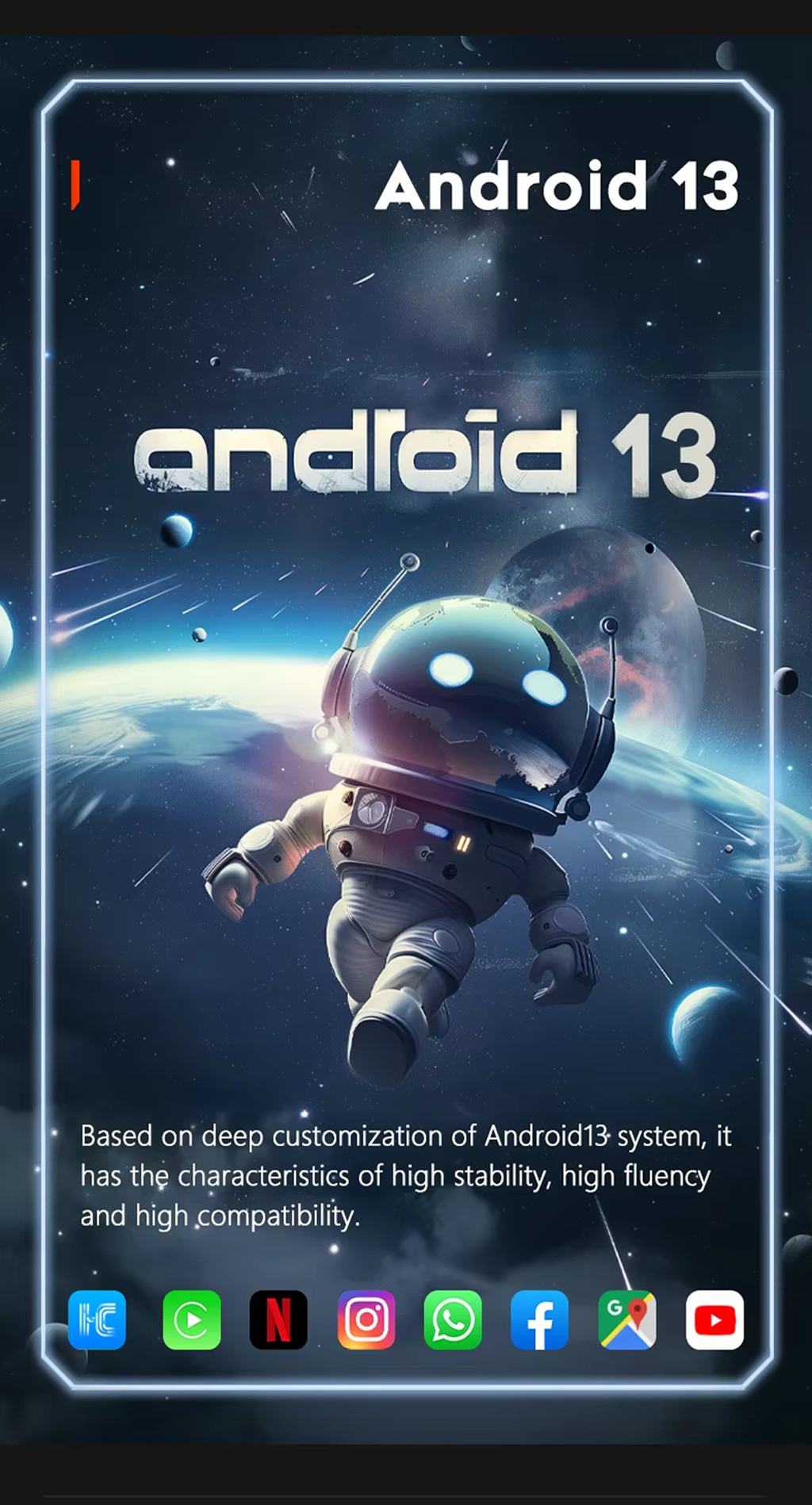
Run Android 13 on the upgraded display

Android 13 gives the screen a modern app environment for navigation, media and connected functions, depending on selected hardware and installed apps.

Audi A6 C6 Android Head Unit Android 13 system

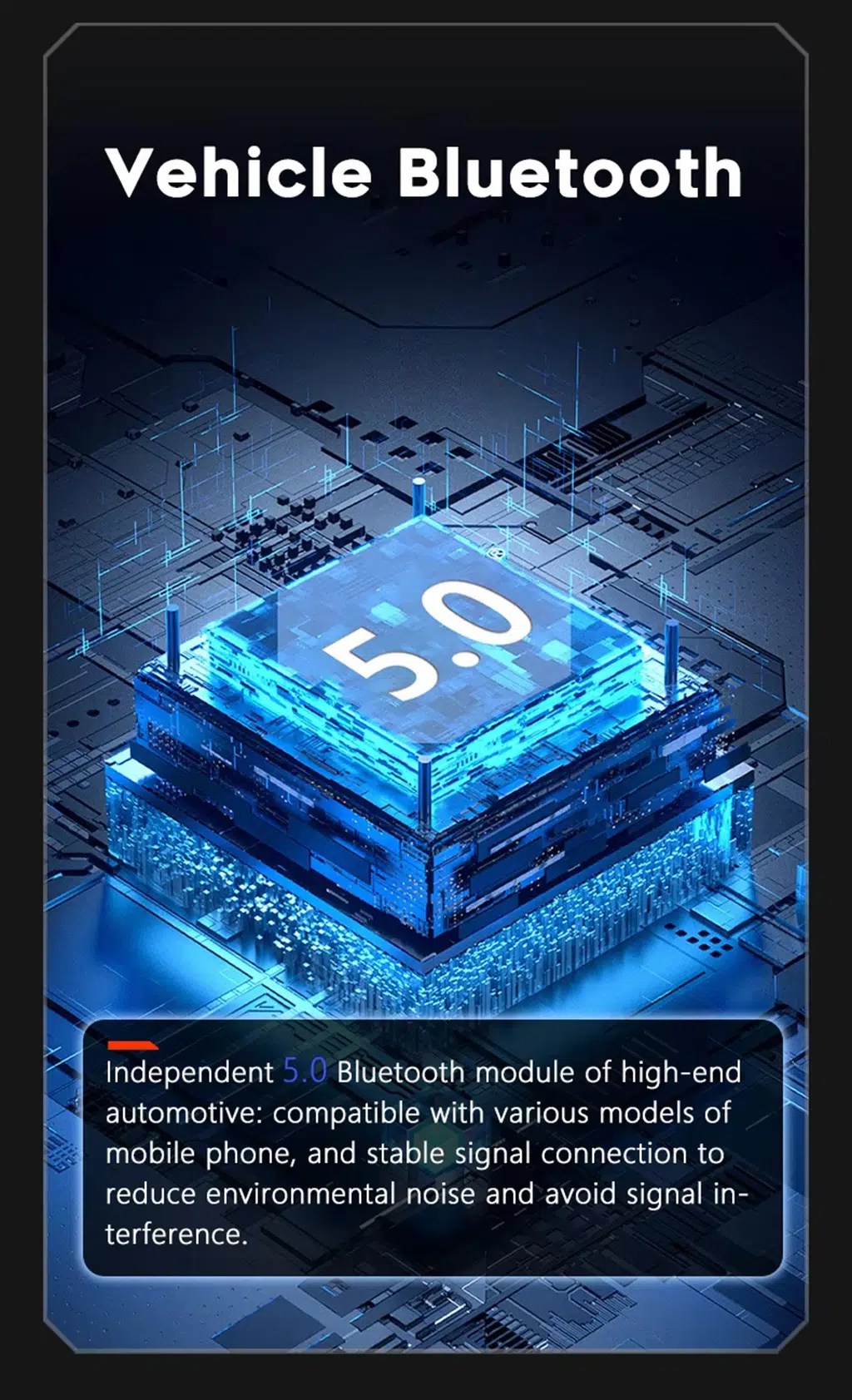
Improve Bluetooth calling and audio connection

Bluetooth support helps daily phone calls and music streaming. Final Bluetooth behavior depends on the selected hardware version and phone compatibility.

Audi A6 C6 Android Head Unit Bluetooth 5 phone music support

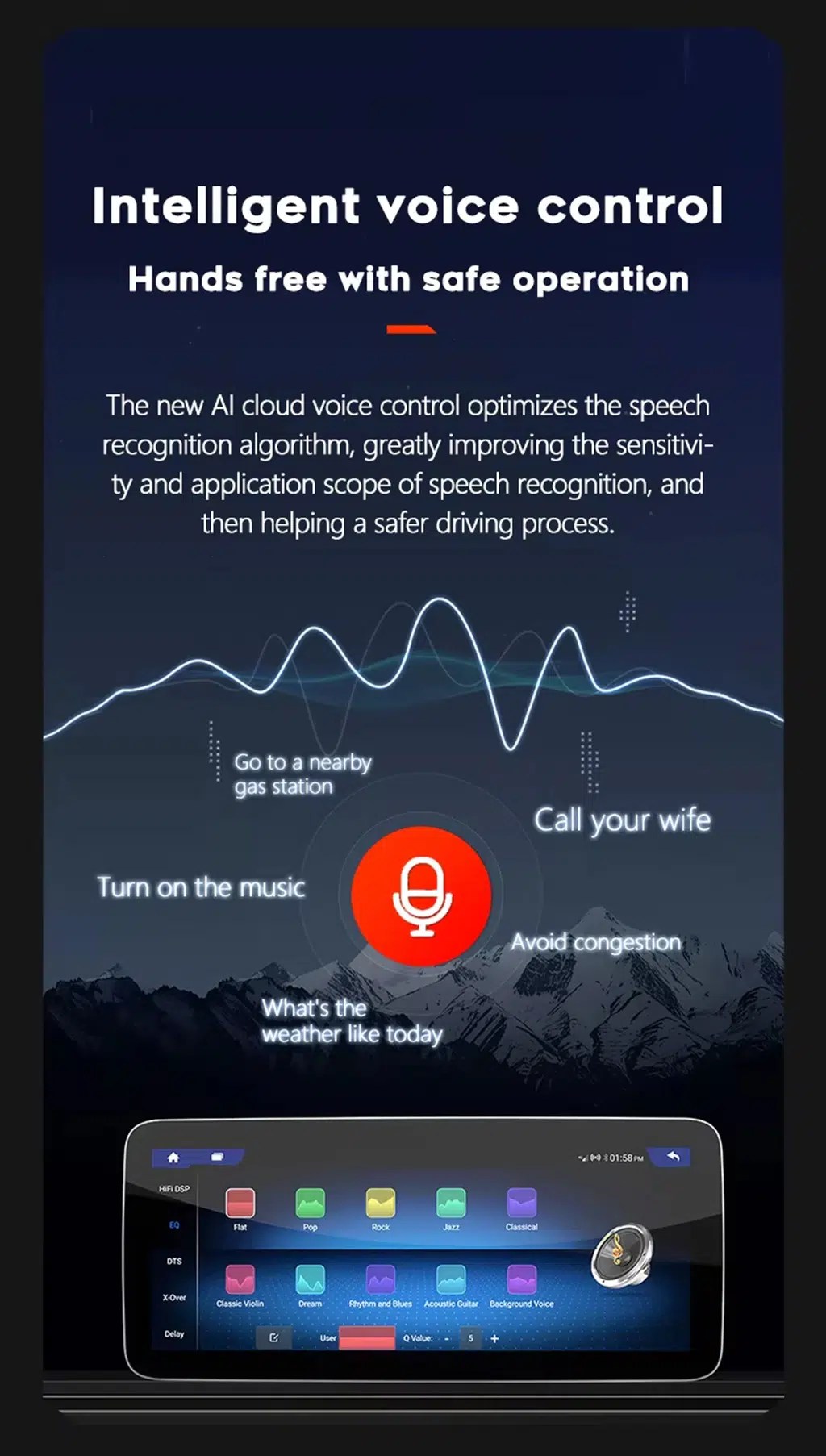
Use compatible voice-control features

Voice control can make navigation, calls and music easier, but app support, microphone placement, language and internet connection affect the final experience.

Audi A6 C6 Android screen intelligent voice control feature

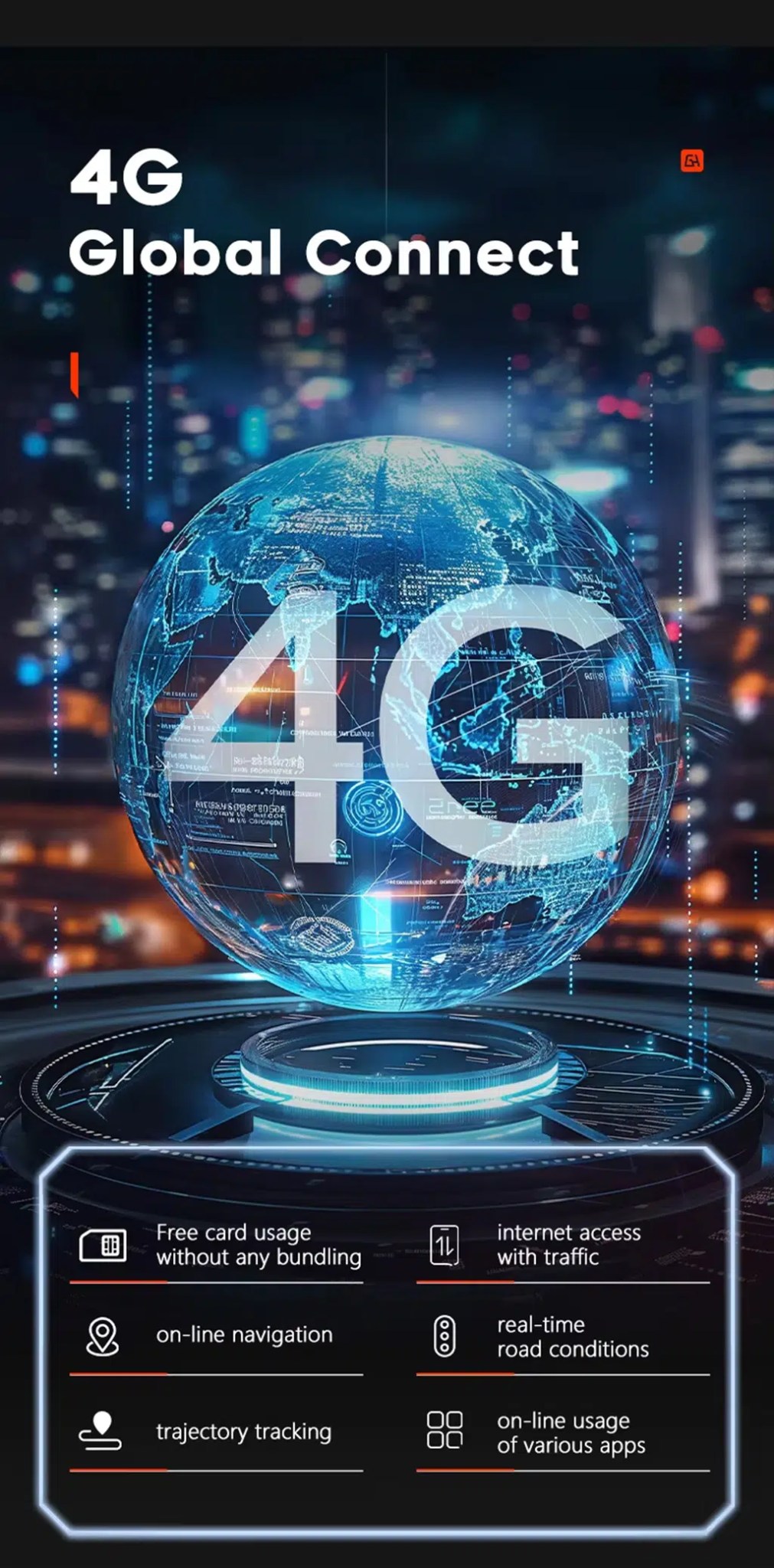
Use 4G network features where local service allows

Compatible 4G support can help with online navigation, traffic information, app use and connected Android functions when a supported SIM route is used.

Audi A6 C6 Android Head Unit 4G global connect online navigation apps

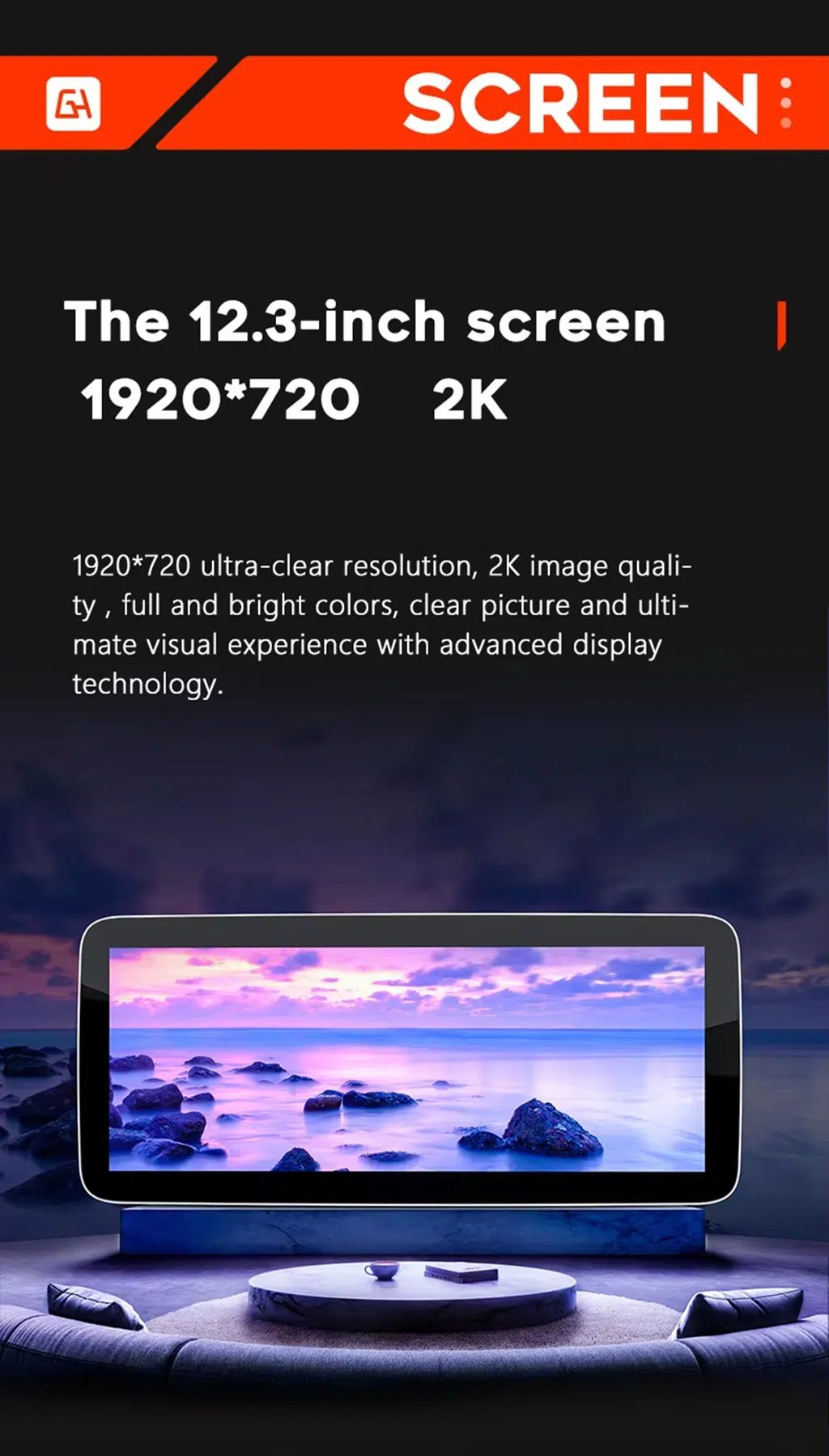
Review the wide-screen display reference

This screen reference explains the wide display direction used across the product platform. Current checkout selection should be checked before ordering.

Audi A6 C6 Android screen resolution wide display reference

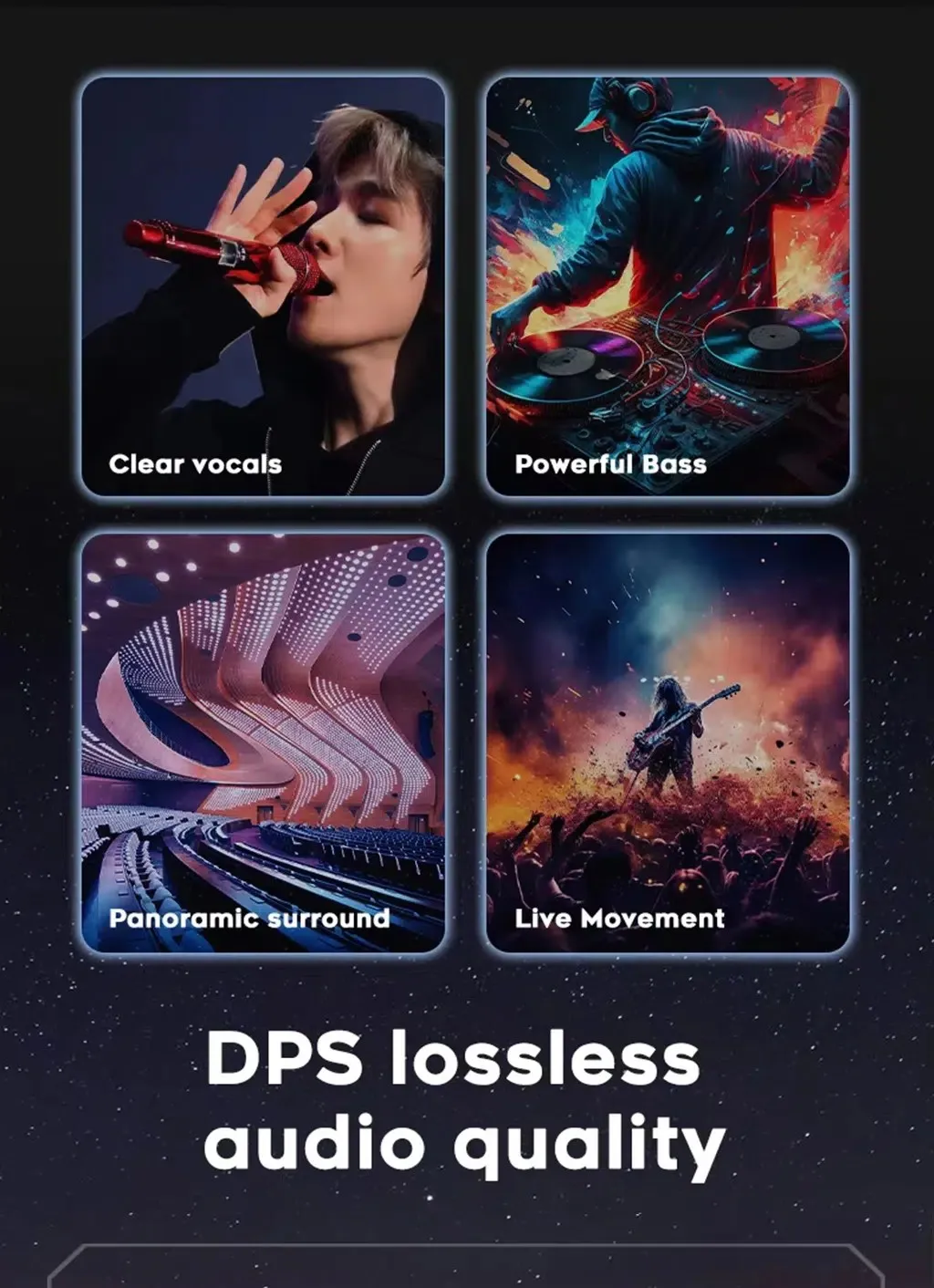
Tune the sound with DSP audio

DSP audio helps adjust vocals, bass and surround feeling, giving the Audi A6 2005–2011 Android stereo with DSP more useful daily sound control.

Audi A6 C6 Android stereo DSP clear vocals bass surround sound

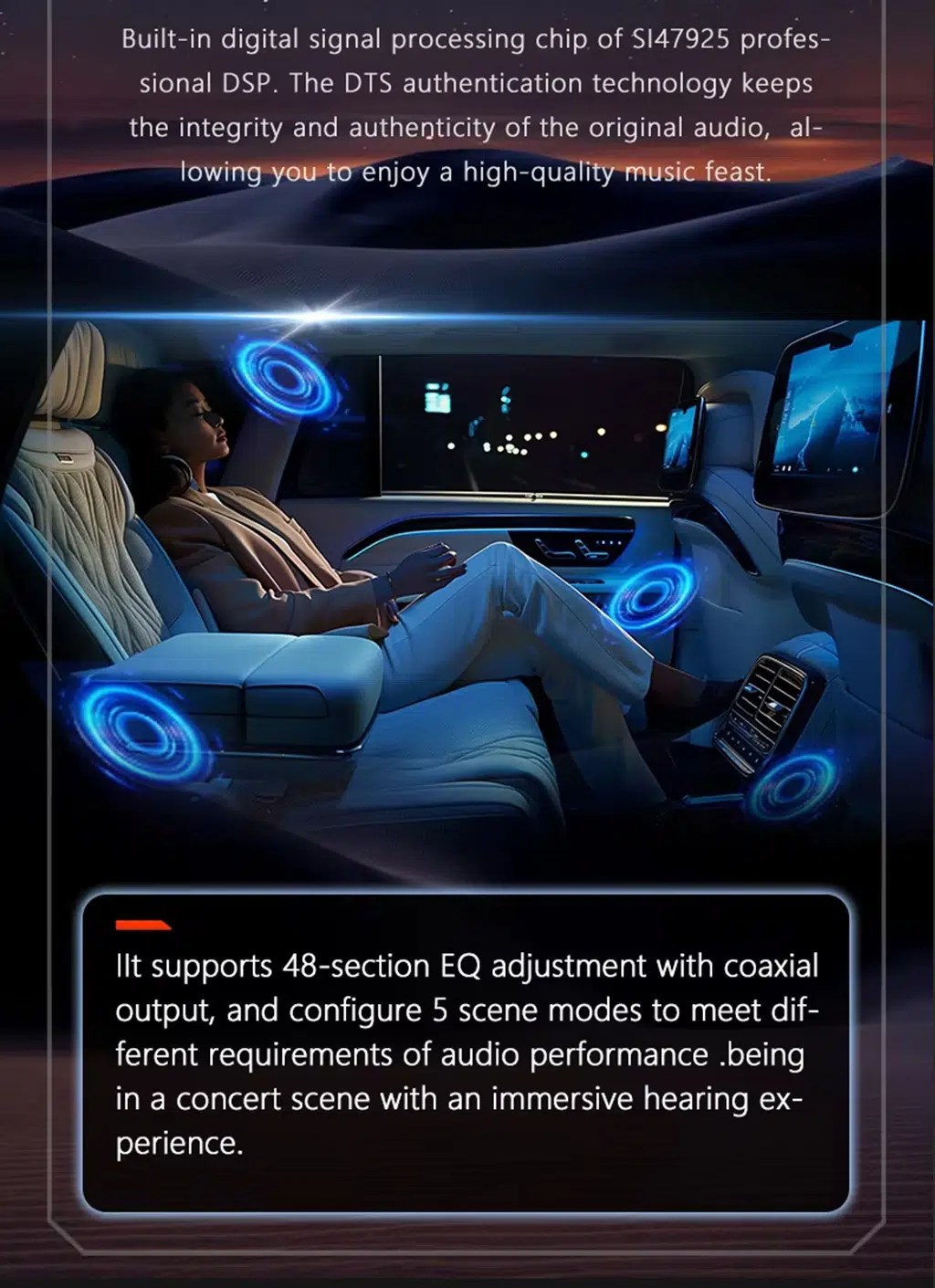
Use DSP adjustment for different listening styles

DSP equalizer control lets owners tune music for clearer voice, stronger bass or a more comfortable cabin sound stage.

Audi A6 C6 Android Head Unit DSP equalizer audio adjustment

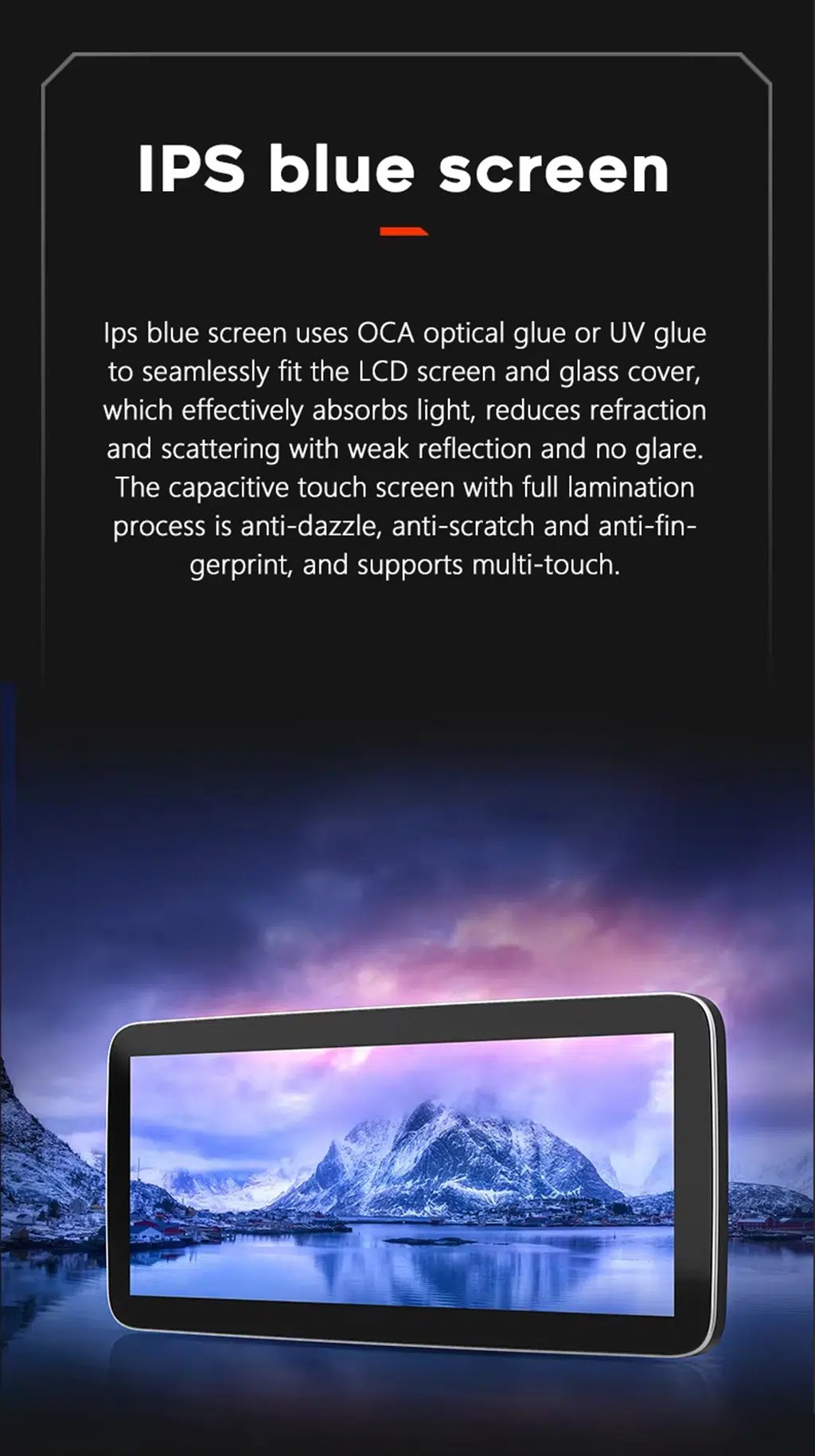
Choose a clearer IPS-style display experience

The IPS-style display direction helps maps, menus and media look clearer during daily driving, especially when using navigation or CarPlay.

Audi A6 C6 Android Head Unit IPS blue screen touch display

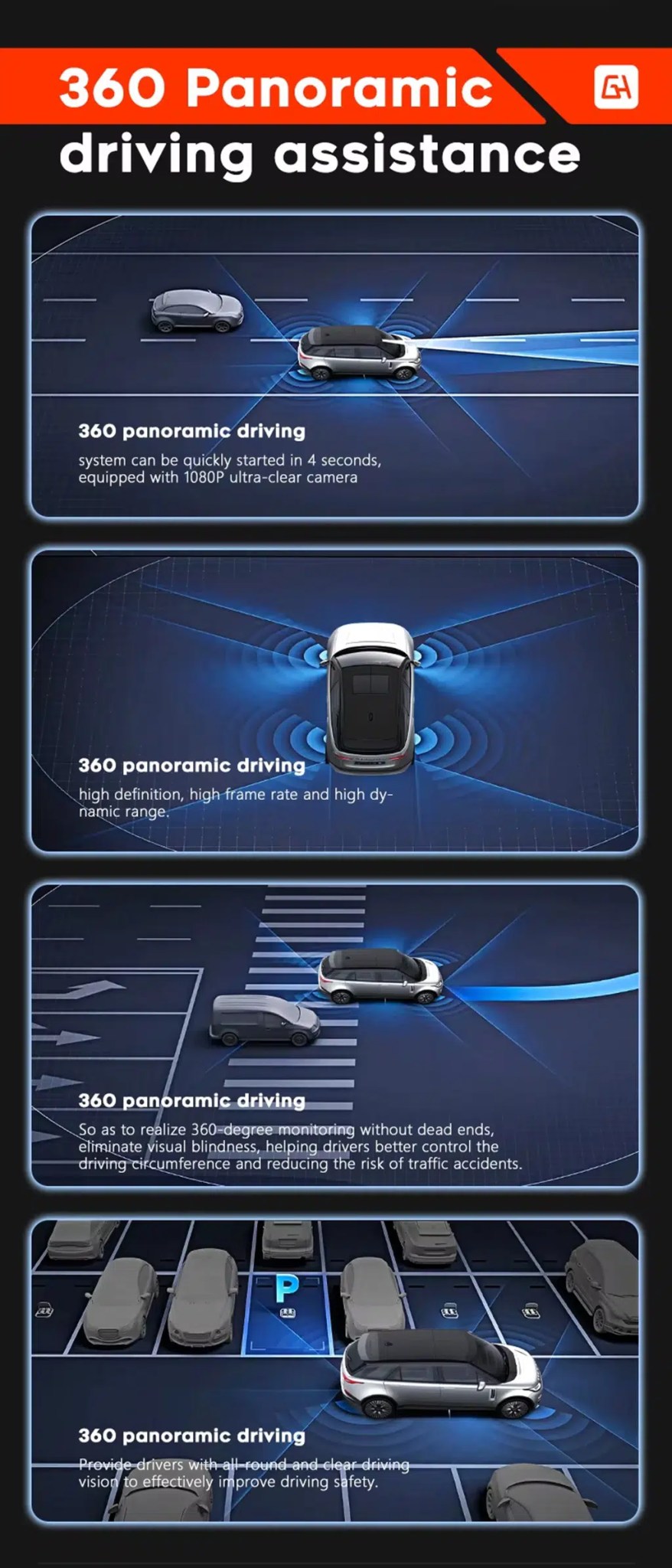
Add camera support where the vehicle route allows it

360 panoramic driving assistance and rear camera display depend on the selected hardware, camera system and vehicle wiring route.

Audi A6 C6 Android screen 360 panoramic driving assistance camera support

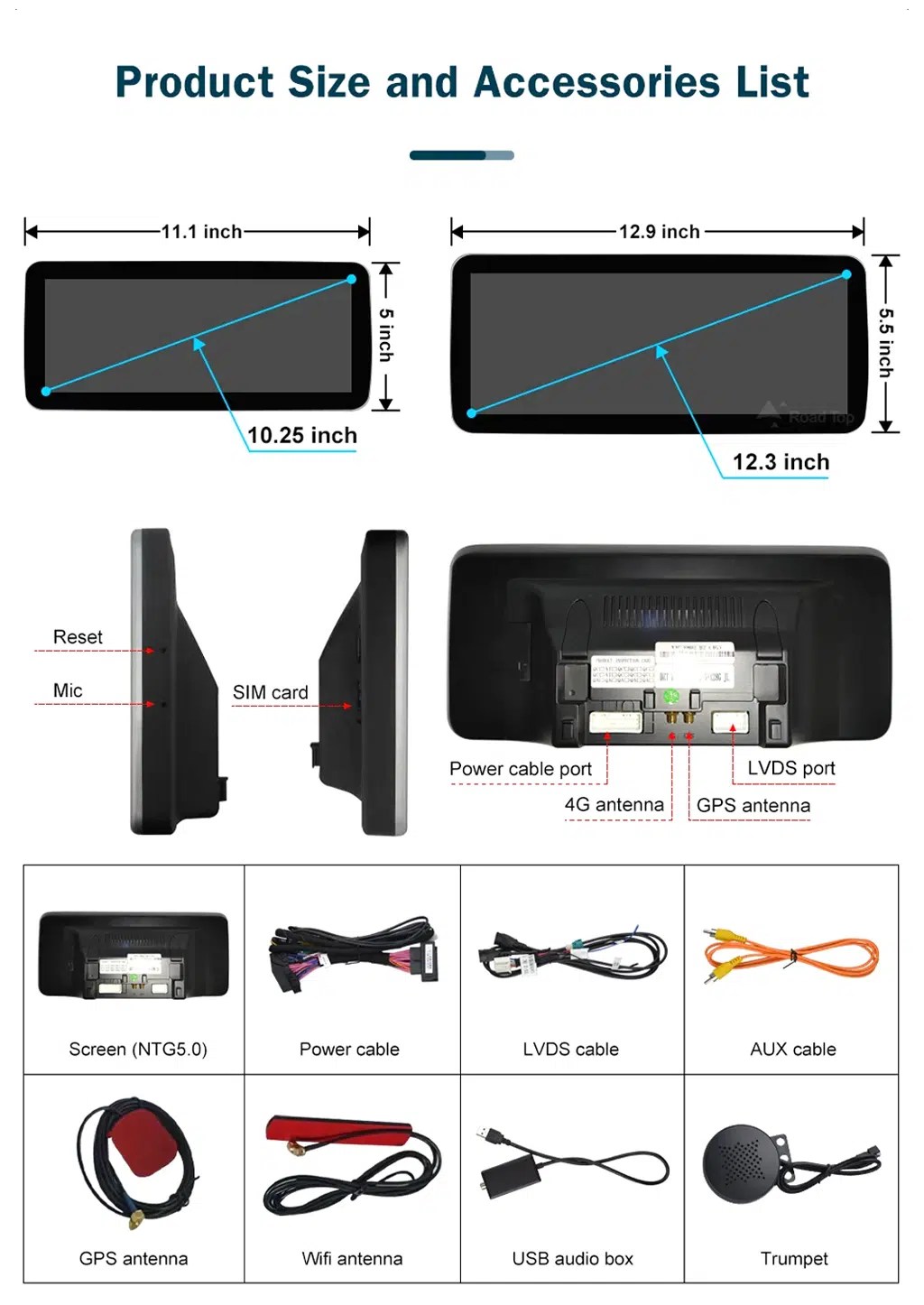
Check product size, ports and accessory list

The accessory list helps installers understand the screen body, power cable, LVDS cable, AUX cable, GPS antenna, WiFi antenna, USB audio box and microphone route.

Audi A6 C6 Android Head Unit product size ports accessories list
Instalacija

Ruta instalacije i uvjeti zaustavljanja

Check the vehicle

Confirm Audi A6 C6, model year, dashboard photo, original MMI screen, button panel, LHD/RHD and audio route.

Prepare the version

iKAGOO prepares the correct screen, harness, CANBUS, AUX/AMI route and fiber optic decoder when needed.

Install and connect

The installer removes the required trim, connects the harness, routes GPS/USB and checks camera and audio connections.

Test before reassembly

Test original Audi menu, sound output, CarPlay, Android Auto, camera, parking display, steering-wheel controls and sleep/wake behavior.

Main work required

  • Dashboard trim and original screen area disassembly.
  • Original Audi MMI screen and button layout confirmation.
  • Matched power harness, LVDS, CANBUS and audio route connection.
  • AUX or AMI audio source configuration.
  • MOST fiber optic decoder installation if required.
  • GPS, USB, microphone, WiFi/4G and camera connections where applicable.
  • Full function testing before final reassembly.

Stop installation and contact iKAGOO if this happens

  • The screen panel does not match the dashboard opening.
  • Oblik konektora ili raspored pinova očito ne odgovara.
  • No audio appears after AUX/AMI or fiber optic route setup.
  • The original Audi menu cannot be accessed.
  • Factory camera or parking display behavior is abnormal.
  • A connector pin is bent, loose or damaged.
  • A fuse blows repeatedly, or abnormal heat, smell or smoke appears.
  • The installer would need to cut the factory main wiring harness.
Paket

What Is Normally Included

Android Display

10.25-inch display assembly according to the selected hardware route.

Power Harness

Vehicle-specific wiring harness selected according to the confirmed Audi system route.

CANBUS Interface

CANBUS route for supported original controls and vehicle-information integration.

GPS and WiFi Antennas

External antennas for supported navigation and network functions.

USB and AUX Cables

USB, AUX or related audio cables according to the confirmed vehicle configuration.

Optional Decoder

MOST fiber optic decoder or camera interface may be required for selected vehicles.

Package contents vary by selected version and confirmed vehicle configuration. Check your order details before dispatch.

Shipping & Support

Dostava, jamstvo i podrška

Priprema narudžbe

Normal order preparation is usually 1–3 business days after your vehicle configuration has been checked.

Tracked global shipping

International delivery is tracked. Estimated delivery time depends on destination, customs clearance and selected shipping method.

12-month hardversko jamstvo

Eligible hardware issues are handled under the iKAGOO limited warranty. Damage from incorrect wiring, wrong audio route, water ingress, misuse or unauthorized modification is not normally covered.

Vehicle-specific products require accurate vehicle information before shipment. If iKAGOO confirmed compatibility before purchase, your information was accurate, and no reasonable installation solution is available after supported troubleshooting, the current published policy applies.

Pravila o povratu i povratu novca · Pravila jamstva · Pravila dostave

Često postavljana pitanja

Audi A6 C6 Android Head Unit FAQ

Is this Audi A6 C6 Android Head Unit for every A6 from 2005 to 2011?
No, not automatically. It is for selected Audi A6 C6 / 4F vehicles after dashboard, original screen, MMI system, audio route and connector confirmation.
Does this Audi A6 C6 Android Head Unit support wireless CarPlay and Android Auto?
Yes, supported configurations provide wireless CarPlay and Android Auto for compatible phones. Connection behavior depends on phone model, firmware and selected hardware route.
Does this Audi A6 C6 MMI 2G Android Screen keep the original Audi menu?
Yes, supported original Audi menu access can be retained through the matched system-switching route, but the original MMI system and connector route must be checked before shipment.
Will this Audi A6 C6 Android screen work with factory camera and parking display?
Yes, supported factory camera, parking information and rear camera routes can be retained when the correct camera interface, CANBUS and vehicle wiring route are used.
Do Audi A6 C6 vehicles need a MOST fiber optic decoder?
Yes, some vehicles may need a MOST fiber optic decoder box. Send your original audio and connector information so iKAGOO can confirm the correct route before shipment.
Does the Audi A6 C6 Android head unit require AUX or AMI for sound?
Yes, many Audi A6 C6 installations require the correct AUX or AMI audio route. If the wrong route is used, the screen may power on but produce no Android audio.
Is this Audi A6 C6 4F Android Radio plug-and-play?
Yes, the matched harness is designed for clean connection, but this is still a Level 3 Advanced DIY installation. MMI, AUX/AMI, MOST fiber optic, CANBUS, camera and full function testing must be completed before final reassembly.
What should I send before ordering an Audi A6 C6 Android screen upgrade?
Yes, send your model year, dashboard photo, original screen photo, MMI menu photo, button panel photo, LHD/RHD position, AUX or AMI photo, camera details and any premium audio or fiber optic information.
Final Step

Upgrade Your Audi A6 C6 with CarPlay, Android Auto, GPS and DSP

Choose this Audi A6 C6 Android Head Unit if you want a factory-style 10.25-inch Android screen upgrade with wireless CarPlay, Android Auto, GPS navigation, DSP 32-band EQ audio, WiFi/4G, camera support, MMI system matching and iKAGOO vehicle-specific preparation before shipment.

Related Audi upgrade: Audi A4 A5 Android Radio

iKAGOO dostava, jamstvo, povrat i korisnička podrška
iKAGOO korisnička podrška

Dostava, jamstvo i povrat

Jasne informacije o obradi narudžbi, međunarodnoj dostavi, proizvodima specifičnim za vozilo, jamstvenoj podršci, povratima i oštećenim pošiljkama.

Obrada narudžbe Obično 1–3 radna dana prije otpreme.
Međunarodna dostava Obično 5–20 radnih dana nakon otpreme, ovisno o odredištu.
Jamstvo na hardver 12-mjesečno ograničeno jamstvo za prihvatljive tvorničke nedostatke.
Podrška za određeno vozilo Dostupna je pomoć pri kompatibilnosti, ožičenju i konfiguraciji.

Često postavljana pitanja

Ovi odgovori pružaju praktičan sažetak. Potpune stranice politike na koje vode donje poveznice primjenjuju se na sve narudžbe.

01

Odakle se šalju narudžbe i koliko traje dostava?

Većina narudžbi iKAGOO šalje se iz našeg skladišta u Kini nakon provjere konfiguracije proizvoda i podataka o vozilu. Uobičajena obrada narudžbe traje otprilike 1–3 business days.

Procijenjena vremena isporuke nakon slanja su:

  • SAD i Kanada: otprilike 5–9 radnih dana
  • Europska unija: otprilike 7–15 radnih dana
  • Ujedinjeno Kraljevstvo i Australija: otprilike 7–10 radnih dana
  • Ostale podržane regije: otprilike 7–20 radnih dana

Procijenjena dostava može biti pod utjecajem carinskog postupka, lokalnih praznika, dostave u udaljena područja, vremenskih uvjeta ili kašnjenja prijevoznika.

02

Moram li platiti uvoznu carinu, PDV ili carinske pristojbe?

Standardna međunarodna dostava obično ne uključuje PDV u zemlji odredišta, uvozne pristojbe, brokerske naknade ili troškove carinskog postupka.

Za prihvatljive destinacije u Europskoj uniji, neobavezni DDP usluga dostave mogu biti dostupne. Troškovi povezani s uvozom uključeni su samo kada je DDP odabran pri završetku kupnje ili kada ih iKAGOO potvrdi pismenim putem prije otpreme.

Kada DDP nije odabran, primatelj je odgovoran za sve troškove koje naplate lokalna carina ili prijevoznik.

03

Mogu li zatražiti ekspresnu dostavu?

Ekspresna ili ubrzana dostava može biti dostupna za odabrane proizvode i odredišta. Dostupnost, prijevoznik i dodatni troškovi potvrđuju se prije otpreme.

Ovisno o odredištu i vrsti proizvoda, iKAGOO može koristiti prijevoznike kao što su DHL, FedEx, UPS, EMS, 4PX ili drugog logističkog pružatelja usluga s praćenjem.

04

Kako mogu pratiti svoju pošiljku?

Nakon što je narudžba poslana, broj za praćenje ili poveznica za praćenje obično će biti poslani na e-mail adresu korištenu za narudžbu.

Prikaz ažuriranja praćenja može potrajati nekoliko radnih dana dok se pošiljka prenosi između međunarodnih i lokalnih prijevoznika.

05

Koja je politika povrata i povrata novca tvrtke iKAGOO?

Pravo na povrat ovisi o razlogu povrata, stanju proizvoda, statusu instalacije, priloženom dokazu i tome je li povrat odobren od strane tvrtke iKAGOO.

Za povrat neispravnog proizvoda, proizvod mora biti neiskorišten, deinstaliran, kompletan i pogodan za daljnju prodaju. Kupac je općenito odgovoran za odobreni trošak povratne pošiljke.

Izvorni troškovi dostave, DDP troškovi, PDV, carine i drugi logistički troškovi općenito se ne vraćaju, osim ako to ne zahtijeva važeći zakon ili ako iKAGOO ne potvrdi drugačije.

Ne vraćajte proizvod bez prethodnog odobrenja adrese za povrat i uputa za povrat od iKAGOO-a.

06

Što se događa ako iKAGOO potvrdi kompatibilnost, ali proizvod se ne može instalirati?

Dodatna zaštita može se primijeniti kada je iKAGOO potvrdio kompatibilnost prije kupnje, kada je kupac dostavio točne informacije o vozilu i kada je kupac surađivao u razumnim koracima instalacije i dijagnostike.

Ako iKAGOO potvrdi da nije dostupno razumno tehničko rješenje, i problem je prijavljen unutar 7 kalendarskih dana nakon dostave, kupac može imati pravo na povrat cijene proizvoda bez obveze vraćanja proizvoda.

Originalna dostava, DDP, PDV, carinske pristojbe i ostali troškovi trećih strana nisu uključeni u ovaj povrat cijene proizvoda.

07

Kakvu jamstvo pruža iKAGOO?

Uvjetovani iKAGOO proizvodi uključuju a 12-mjesečno ograničeno jamstvo na hardver pokriva potvrđene proizvodne nedostatke i prihvatljive hardverske kvarove pri normalnoj upotrebi.

Ovisno o problemu, rješenje može uključivati daljinsku dijagnostiku, pomoć pri konfiguraciji, zamjenske dijelove, popravak, zamjenu proizvoda, djelomični ili puni povrat novca.

Jamstvo obično ne pokriva oštećenja uzrokovana nepravilnim ožičenjem, neovlaštenim izmjenama, slučajnim oštećenjem, prodiranjem vode, udarom, zlouporabom, nepravilnim naponom, pogreškom pri instalaciji ili nekompatibilnom opremom trećih strana.

08

Da li otvaranje proizvoda automatski poništava jamstvo?

Pregled ili ispitivanje od strane treće strane ne poništava automatski cijelu jamstvo. Međutim, oštećenja uzrokovana neovlaštenim popravkom, zamjenom komponenti, nepravilnom izmjenom, oštećenim sklopovima ili nepravilnim ponovnim sastavljanjem nisu pokrivena.

Prije rastavljanja ili popravka proizvoda kontaktirajte iKAGOO kako bi vam se mogla pružiti ispravna dijagnostička procedura.

09

Što ako moja narudžba stigne oštećena ili joj nedostaju dijelovi?

Kontaktirajte iKAGOO unutar 7 kalendarskih dana nakon dostave i sačuvajte originalno pakiranje, naljepnicu za dostavu, dodatnu opremu i proizvod.

Molimo dostavite jasne fotografije ili videozapis koji prikazuju:

  • Vanjska transportna kartonska kutija i transportna naljepnica
  • Bilo kakvo vidljivo oštećenje ambalaže
  • Proizvod i zahvaćeno područje
  • Svi primljeni dodaci i ožičenje

Nakon provjere, iKAGOO može organizirati pošiljku dijela koji nedostaje, zamjenu, popravak, povrat novca ili drugo razumno rješenje ovisno o konkretnom slučaju.

10

Što trebam učiniti ako sam naručio/la pogrešan proizvod?

Kontaktirajte iKAGOO prije instalacije ili korištenja proizvoda. Zamjena ili povrat mogu biti odobreni ako je proizvod neiskorišten, deinstaliran, potpun i pogodan za daljnju prodaju.

Kupci su obično odgovorni za troškove dostave i svaku razliku u cijeni kada je odabran pogrešan proizvod, model vozila, godina ili tvornička konfiguracija.

Besplatna prepaid povratna naljepnica se ne isporučuje automatski.

11

Mogu li izmijeniti ili otkazati svoju narudžbu nakon plaćanja?

Kontaktirajte iKAGOO što je prije moguće, po mogućnosti unutar 12 sati nakon narudžbe, pri zahtjevu za promjenu adrese, konfiguracije vozila ili proizvoda.

Modifikacija ili otkazivanje ne stupa na snagu dok ih ne potvrdi iKAGOO. Proizvodi specifični za vozilo mogu ući u nabavu, programiranje, testiranje, konfiguraciju ili prilagodbenu pripremu ubrzo nakon uplate.

Nakon što je priprema ili otprema započela, otkazivanje možda neće biti moguće ili će se odbitati razumni troškovi koji su već nastali.

12

Što je uključeno u paket?

Sadržaj paketa razlikuje se ovisno o proizvodu, modelu vozila, tvorničkom sustavu i odabranoj konfiguraciji.

Ovisno o proizvodu, paket može uključivati glavni uređaj, kabelske snopove specifične za vozilo, CANBUS sučelje, adaptere, USB kabele, antene, mikrofone, montažni pribor i druge dodatke za ugradnju.

Za točne uključene komponente pogledajte relevantnu stranicu proizvoda, fotografije pakiranja i potvrdu narudžbe.

13

Kako mogu kontaktirati iKAGOO podršku?

Možete kontaktirati iKAGOO putem obrasca za kontakt, e-pošte, WhatsAppa ili dostupnih kanala podrške na web-stranici. Uobičajeno vrijeme odgovora je unutar 24 radna sata.

Za bržu tehničku podršku, navedite broj narudžbe, model i godinu vozila, fotografije tvorničkog sustava, fotografije proizvoda i jasan video koji prikazuje problem.

Posjetite: iKAGOO Kontak i podrška

14

Je li plaćanje sigurno i postoje li opcije plaćanja na rate?

Plaćanja se obrađuju putem sigurnih metoda plaćanja prikazanih tijekom dovršetka kupnje. Dostupne opcije plaćanja karticama, putem novčanika i na rate mogu se razlikovati ovisno o zemlji, valuti, pružatelju usluga plaćanja i ispunjavanju uvjeta od strane kupca.

Bilo koja usluga obročnog plaćanja, uključujući opcije koje nude PayPal ili drugi pružatelj, podliježe regionalnoj dostupnosti i pravilima odobravanja tog pružatelja.


Pročitajte cjelovite politike tvrtke iKAGOO

Prije narudžbe pregledajte sve stranice politike, osobito one koje se odnose na proizvode specifične za vozilo, međunarodne porezne aranžmane i povrate vezane uz ugradnju.

Ovaj FAQ je pojednostavljeni vodič za kupce. Ako se bilo koja formulacija razlikuje, prednost imaju potpune objavljene stranice politike, potvrda narudžbe i primjenjivi zakoni o zaštiti potrošača.
Audi A6 A6L C6 Android Head Unit 2005–2011 with 10.25″ CarPlay, Android Auto & DSP Audi A6 C6 Android Head Unit 2...
From: $318.00

Odaberi opcije